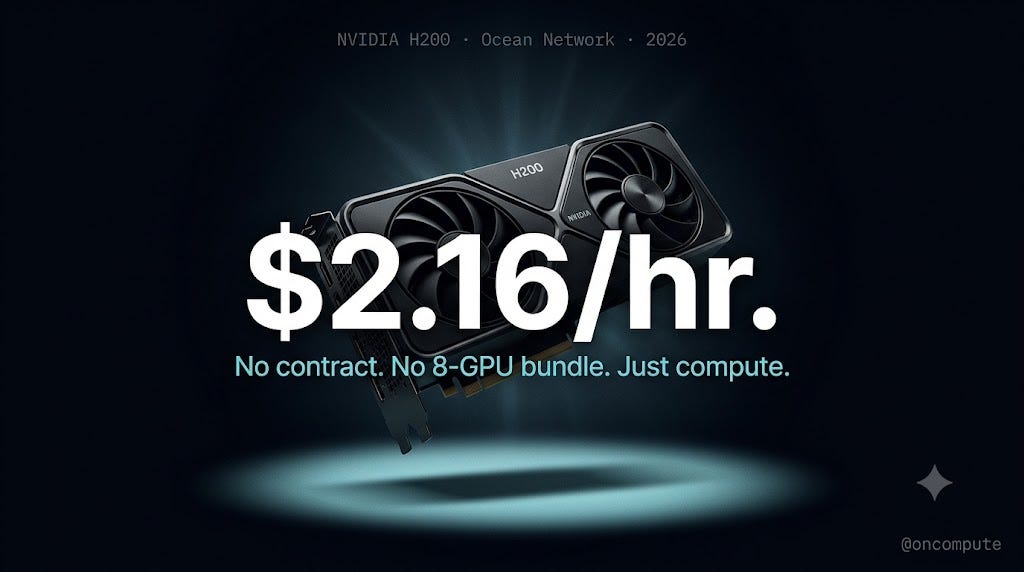
I Found an NVIDIA H200 GPU for $2.16/hr. No Contract. No 8-GPU Bundle. Just Pure Compute.
--
Ocean Network just broke the biggest barrier in AI. Here is the full story.
Let me tell you something that happened to a friend of mine.
He spent three weeks writing training code for a 70B AI model. Clean code. Good dataset. Everything ready. He was excited, the kind of excited where you stay up late just to watch progress bars move.
Then he went to rent the GPU powerful enough to run it.
AWS wanted $40 per hour. For the whole server. Not one GPU. The whole thing.
He closed the laptop. Went to sleep. Woke up the next morning and told himself “maybe later.”
That “maybe later” has happened to thousands of researchers, developers, and small AI teams. The hardware exists. The knowledge exists. But the pricing? It was built for companies with six figure cloud budgets, not curious builders trying to push AI forward.
Then Ocean Network showed up and put an NVIDIA H200 on their platform for $2.16 per hour.
Not per server. Per GPU. On demand. No minimum commitment. No yearly contract. No 8-GPU bundle you did not ask for.
This post is going to explain exactly what that means, how it works, and why it is genuinely different from everything else out there. Simple words. Real numbers. No fluff.
Why the H200 Is Such a Big Deal Right Now
Okay so first things first. What even is the H200 and why should you care?
Think of GPU memory like a desk.
When you are solving a big problem, you need space to spread everything out. Notes here, diagrams there, reference books on the side. The bigger the desk, the more you can work on at once without constantly picking things up and putting them back.
The old NVIDIA H100 gave you an 80GB desk. Solid. Reliable. Great for most things.
The NVIDIA H200 gives you a 141GB desk. Nearly double. And it moves information across that desk at 4.8 terabytes per second, which is 43 percent faster than the H100.
Here is why that matters in plain terms.
Models like LLaMA 4 70B, Deepseek, and other large AI systems need a LOT of desk space to run properly. On an H100, a 70B model does not fully fit. You either have to squeeze it down with compression tricks that reduce quality, or you split it across multiple GPUs which adds complexity and cost.
On the H200? It fits. Comfortably. At full quality.
Here is the number that really hit me when I first read it:
single H200 can serve LLaMA 4 70B in full precision. That same workload needed two full H100 nodes, 16 GPUs total, just one year ago.
One GPU doing the job of sixteen. That is not a small improvement. That is a completely different world.
The H200 also gives you roughly 1.5x more output per hour compared to H100, and costs about 25 percent less per token on long context workloads. For anyone running inference at scale, that math changes everything.
The problem? Getting access to one has been nearly impossible without an enterprise account and a big budget. AWS has waitlists. Azure charges $13.78 per hour and still wants you to rent 8 GPUs together. Google Cloud is not much better.
That supply crunch is exactly the gap Ocean Network stepped into.
Here Is the Actual Node You Are Renting
This is my favorite part because Ocean Network does something most GPU clouds do not do. They show you exactly what you are getting. No vague promises. No “hardware may vary.” Just real verified specs from a real machine.
Here is the H200 node live on dashboard.oncompute.ai right now:
Node Name: Example Node (Verified, Online) Location: East Asia, Kyoto, Japan GPU: NVIDIA H200, 2 units available CPU: Intel Xeon Platinum 8460Y+, 40 cores RAM: 440 GB Storage: 1,000 GB Price: 0.036 USDC per unit per minute, which works out to $2.16 per hour per GPU Job Duration: Minimum 1 minute, maximum 12 hours Node Status: Verified via benchmark, running Ocean Node v3.1.0, over 2,200 total jobs completed, $586 total revenue earned How Jobs Run: Containerized jobs via Ocean Orchestrator Payment: USDC, held in escrow and released only after your job completes Dashboard: dashboard.oncompute.ai
The “2,200 jobs completed and $586 earned” part is not just a nice number. It means this specific machine has a track record. It has been verified, benchmarked, and used by real people running real workloads. You are not handing your code to a mystery box.
Now let me talk about the CPU and RAM because people skip past this and they really should not.
When you train or fine-tune an AI model, the GPU does the heavy math. But the CPU and RAM are constantly feeding the GPU data. Loading your dataset. Tokenizing text. Preparing the next batch. If the CPU is slow or the RAM runs out, your GPU sits waiting, doing nothing, while you pay for it.
The Intel Xeon Platinum 8460Y+ with 40 cores and 440GB of RAM means the data pipeline keeps up with the GPU. No bottleneck. No wasted GPU time. The whole system is balanced.
The Price Comparison That Made Me Stop Scrolling
(Prices checked June 2026. GPU pricing changes, always verify on provider pages)
- Provider H200 Price Per Hour Minimum Commitment Escrow Protection Single GPU Access Azure ~$13.78 8-GPU node only No No AWS P5e ~$4.98 8-GPU node only No No Spheron ~$4.54 None No Yes JarvisLabs ~$3.80 None No Yes RunPod ~$3.59 None No Yes Ocean Network ~$2.16 None Yes Yes
- Azure is charging $13.78 per hour. Ocean Network is charging $2.16. That is not a small difference. That is 84 percent cheaper.
- But the price alone is not even the most important part.
- Look at the last two columns. Ocean Network is the only provider in this entire table that offers both escrow protection AND single GPU access. RunPod and JarvisLabs let you rent one GPU, which is good. But the moment your instance starts, the meter runs. Job crashes? You pay. Script has a bug and exits in 10 seconds? You pay.
On Ocean Network, your money sits in escrow until the job actually finishes and results come back to you. If it fails, you do not pay.
Three things that make Ocean Network stand apart from everyone:
- First, it is the only platform with escrow-based payment protection. You are not paying for uptime. You are paying for results.
- Second, no 8-GPU bundle required. Need one GPU for one afternoon? You rent one GPU. AWS and Azure physically cannot offer you this.
- Third, billing by the minute not the hour. A 47 minute job costs 47 minutes. Not 60. Not 120. Over weeks of daily runs, that difference turns into hundreds of dollars.
What You Can Actually Build With This
Let me connect the specs to real things people actually need to do.
Running LLaMA 4 70B at full quality With 141GB VRAM, the model loads completely onto one GPU. No compression. No quality loss from quantization. You get the real model, not a squeezed down version. This was simply not possible on a single GPU before the H200 existed.
Fine-tuning your own models Fine-tuning is not just about the GPU doing math. Your CPU and RAM have to constantly feed it new batches of data. The 440GB RAM and 40-core Xeon Platinum on this node means that feed never slows down. Your GPU stays busy the whole time instead of sitting idle waiting for data.
Submitting jobs from inside your code editor This one surprised me the most. Through the Ocean Orchestrator plugin, you submit jobs directly from VS Code, Cursor, Windsurf, or Antigravity. Your code runs as a container. Think of it like packing a lunchbox. You put your code, your libraries, your Python version all in the box. It travels to the GPU. The GPU runs it. The results come back to your computer. No SSH. No server configuration. No “what CUDA version is running on this thing.”
Short batch jobs without wasting money Evaluation runs. Embedding tests. Quick inference checks. With 1-minute minimum billing, a 4-minute test job costs you 4 minutes. Not an hour block. This makes experimentation cheap enough that you actually do it instead of skipping it.
Research without risk No commitment means you spin up for exactly what you need, pay for that, and stop. You will never log in three weeks later and find a reserved instance you forgot to turn off eating $300 while doing nothing.
How the Escrow System Works (Easy Explanation)
Most people gloss over this part. Do not. This is what makes Ocean Network different from every other option in the market.
Imagine you hire someone on Fiverr to design a logo. You do not send them money directly. Fiverr holds the money in the middle. The designer only gets paid when you say the work is done.
That is exactly how Ocean Network’s escrow works, except instead of a logo, it is your GPU job.
Here is the four step flow:
- Step 1. You submit your job. Your payment gets locked in a smart contract on Base, which is Ethereum’s fast and cheap Layer 2 network. The money is there. Neither you nor the node operator can just take it.
- Step 2. The job runs on the verified H200 node.
- Step 3. Job finishes. Results come back to you. The smart contract automatically releases the funds to the node operator in USDC.
- Step 4. If the job fails, you do not pay. The escrow protects you.
On every other GPU platform, the moment that machine turns on, your money is gone. It does not matter if your job ran for 10 seconds before crashing. The instance was live. You pay.
Ocean Network’s system is built on the idea that you should pay for compute that actually happened, not compute that was supposed to happen.
The Questions Everyone Actually Asks
- Does Ocean Network offer NVIDIA H200 GPUs?
Yes. Ocean Network offers verified NVIDIA H200 GPU nodes that can be rented on-demand through the Ocean Network Dashboard. These nodes are contributed by infrastructure providers across the network and are accessible without long-term contracts or enterprise cloud commitments. Users can launch H200-powered compute jobs for AI training, inference, fine-tuning, embeddings, and agent workloads directly from the dashboard while paying only for the compute time they actually use.
- Can I run LLaMA 4 on Ocean Network’s H200?
Yes. NVIDIA H200 GPUs on Ocean Network are well-suited for running large open-source models such as Meta’s LLaMA 4 family. Each H200 node provides 141GB of HBM3e VRAM, enabling users to handle demanding inference workloads, larger context windows, and advanced fine-tuning configurations. Through the Ocean Orchestrator workflow, developers can connect their IDE, launch containerized environments, and run AI workloads remotely without manually configuring GPU infrastructure.
- How does Ocean Network’s escrow payment system work?
Ocean Network uses an escrow-secured payment mechanism designed to reduce trust assumptions between compute providers and users. When a compute job is started, the payment amount is locked in escrow rather than transferred immediately. After the job completes successfully and the agreed compute resources are delivered, the funds are automatically released to the node provider in USDC. This structure helps protect both parties by ensuring providers are compensated for valid work while users avoid paying upfront for incomplete or failed jobs.
- Do I need to rent 8 GPUs minimum for H200 on Ocean Network?
No. Unlike many traditional cloud GPU providers that encourage large multi-GPU cluster commitments, Ocean Network allows users to rent a single NVIDIA H200 GPU for a single workload with short-duration billing. Jobs can typically be launched with as little as a one-minute minimum runtime depending on node availability. This makes the platform more accessible for independent developers, researchers, startups, and teams that want to experiment, prototype, or run targeted workloads without committing to expensive multi-GPU infrastructure.
- Where are Ocean Network’s H200 nodes located?
One of the currently available verified H200 deployments on Ocean Network Dashboard is located in Kyoto, Japan, serving the East Asia region. The broader Ocean Network infrastructure is decentralized, meaning compute providers from multiple geographic regions can contribute nodes to the marketplace over time. This distributed model helps expand compute availability globally while allowing users to select infrastructure that best matches their latency, pricing, compliance, or regional deployment preferences.
- What CPU, RAM, and storage come with Ocean Network’s H200 nodes?
A verified H200 node currently available on Ocean Network Dashboard includes enterprise-grade supporting hardware alongside the GPU itself. The configuration includes an Intel Xeon Platinum 8460Y+ processor with 40 CPU cores, approximately 440GB of system RAM, and around 1TB of storage capacity. This combination is designed to support demanding AI and data workloads that require not only GPU acceleration, but also strong CPU throughput, high-memory processing, and sufficient local storage for datasets and containerized environments.
My Honest Take
Ocean Network is in beta. I want to be straight with you about that. If you need 50 H200s running simultaneously with a guaranteed 99.9 percent uptime SLA written into a legal contract, the hyper scalers are still your answer.
But for everyone else? Researchers. Independent developers. Small AI teams. Students. Startup founders trying to stretch a compute budget across a whole quarter?
The H200 is no longer locked behind a paywall that only enterprises can climb.
$2.16 per hour. Verified hardware. Escrow-protected. No minimum commitment. Billing by the minute. Jobs submitted directly from your code editor. Results delivered back to your computer automatically.
That friend I mentioned at the start, the one who closed his laptop and went to sleep? I sent him this post. He finished his training run the same week.
Run your first H200 job on Ocean Network: dashboard.oncompute.ai
Explore the full platform and node marketplace: oncompute.ai
Tags: #NvidiaH200 #OceanNetwork #MachineLearning #LLMTraining #DecentralizedCompute #H200 #OceanOrchestrator #DePIN #AIBuilders