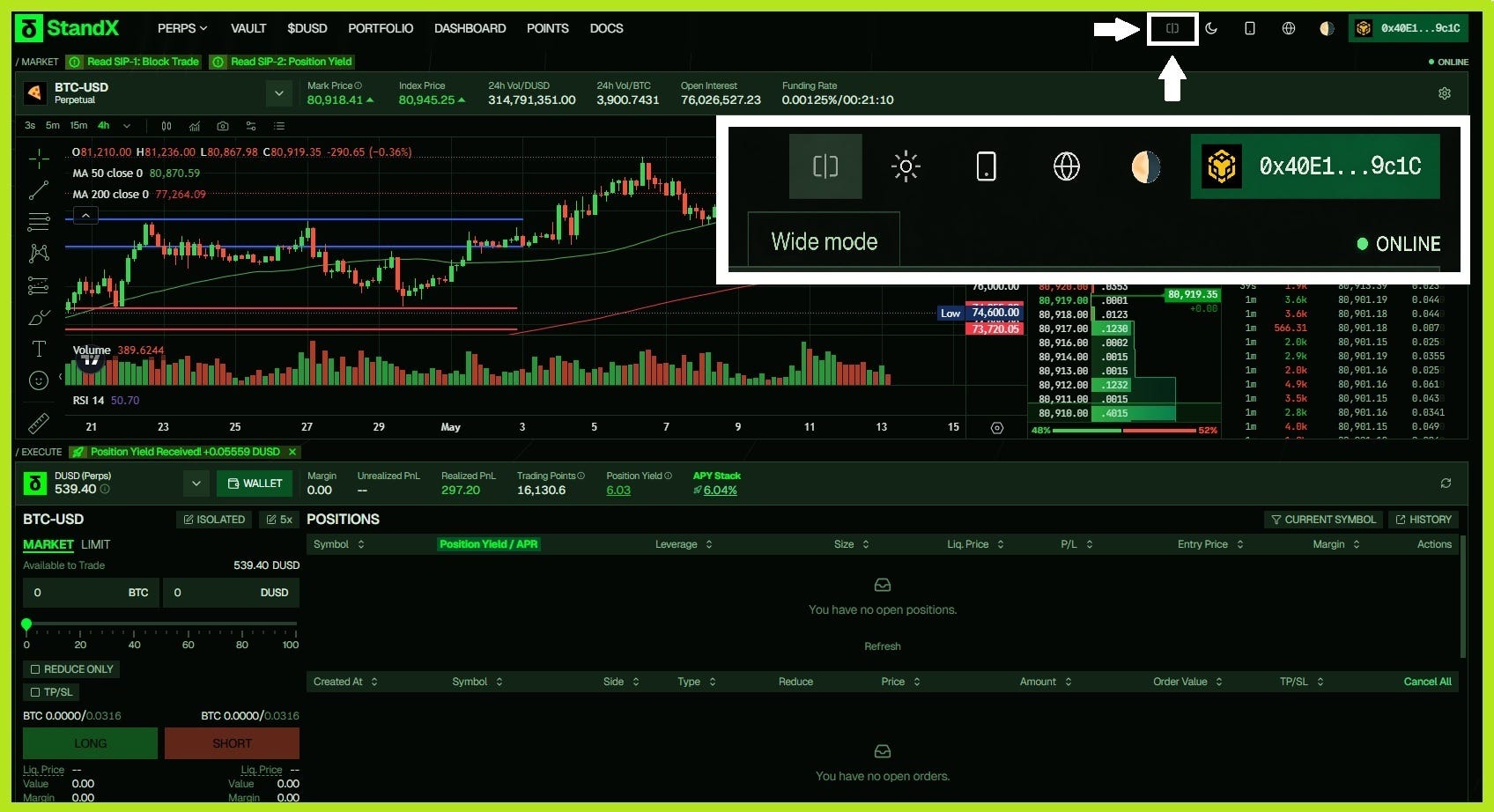
“Wide mode” on StandX
 GoodUncle2 min read·Just now
--
Welcome to today’s post. The #StandX exchange recently launched a new “Wide Mode” — and today we’ll take a detailed look at what it is, what benefits it offers, and how to best use it.
Read more…
@StandX_Official #StandX #dex #perp
1)The new “Wide Mode” is located in the upper right corner of the StandX exchange interface. You’ll immediately see it next to the wallet connection button and the dark/light theme switch.
One click, and the screen expands significantly, providing more space for charts and the order book. Very convenient!
2)Unlike the standard mode, “Wide mode” significantly expands the screen’s working area. You get much more space for charts and indicators simultaneously.
There’s no need to minimize or switch anything — all the necessary information is visible at a glance. This is especially convenient for scalping and technical analysis, where every detail matters.
3)After switching to “Wide mode,” a “Side layout” button appears in the lower right corner. This allows you to slightly adjust the placement of the trade opening window and the panel with existing open positions, making your work even more convenient.
All these changes are clearly visible in the screenshot below, and you can check them out right now.
4)If you don’t like “Wide mode”, simply click the “Back to vertical layout” button in the lower right corner of the screen. One click, and the exchange will instantly return to the familiar vertical layout of all elements.
No complications: the mode is completely reversible at any time. Enjoy simplicity with #StandX