A Production Story
In our previous company, we had a solid engineering culture around testing. Every critical API endpoint had a test for it, we also had a CI rule— no PR gets merged unless all tests pass. The test suite was fast enough to run on every push, and the team was disciplined about keeping the checks green.
Then, one fine, beautiful morning, a production incident came in. Few weeks back, an upstream third-party service had changed its response schema. A developer picked the ticket, updated the response-handling logic to match the new contract, and ran the suite locally:
make test
# result : → 144 tests passed
Pushed the fix on a PR, CI passed with green checks. The PR also got approved, merged and shipped. After the deploy, PROD broke within the hour.
I joined the investigation. Pulled the branch, read the diff. Found the issue, the response mapping was wrong — the old field path was still being used. I checked the test function and found there are enough cases to cover the response validation. The first big question that came to mind was : why the test didn’t fail, why it passed both locally and in CI?
I ran make test on my local env, as expected 144 tests, all passed. Ran it again. Same. Again. Same 144, same green output.
Something was off. I clicked the run test button next to function TestCartActionHandler, just to run that specific function only. It failed immediately, exactly the error reproducing the PROD bug.
I ran make test again. 144 passed. But interesting part was, the function TestCartActionHandler was not in the output at all. Not as a failure, not as a skip. Absent in the list of 144 tests that have been executed on the test suite.
I looked at the file once again from the top, line by line. There was a commented out attribute — line 1, sitting just above the package name declaration:
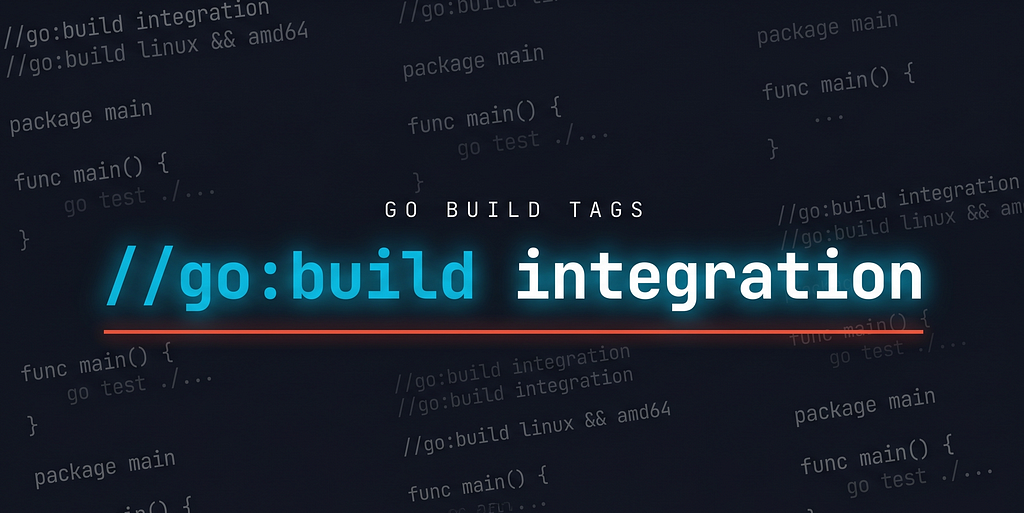
//go:build integration
I paused. Took a breath of relief, go build tags, this is the culprit.
But how could a single commented-out-looking line cause this much silent damage across an entire CI test pipeline? That’s exactly what we’re going to unpack in this tutorial — and by the end, you’ll have the full answer.
TL;DR — A Go build tag is a directive placed at the top of a .go file that tells the compiler whether to include that file in a given build. Files with unmatched tags are silently dropped from compilation — not skipped at runtime, excluded entirely. Custom tags like integration or debug must be activated explicitly via go test -tags integration ./.... Without the flag, tagged files don't exist to the compiler — no warning, no output, no test count change.
What Are Go Build Tags?
Go build tags — formally called build constraints — these are the directives you place at the top of a .go file that tell the Go toolchain whether to include that file in a given compilation.
Think of them as a conditional gate on the file level. When you run go build or go test, the toolchain evaluates each file's build constraint against the current build context. If the constraint evaluates to true, the file is compiled. If it evaluates to false, the file is excluded — completely, silently, as if it doesn't exist on disk.
This is not skipping at runtime. This is exclusion at compile time. The file never becomes part of the binary.
Anatomy of a Build Tag
Build tags have existed since Go’s early days, but the syntax has evolved. A build tag is a single line directive placed at the very top of a .go file — before the package declaration, before any imports, before anything else:
//go:build <expression>
Three rules the Go toolchain enforces:
- Must be line 1 — or preceded only by blank lines and other //go: directives
- Must have the exact prefix //go:build — no space between // and go
- Expression is a boolean — built from tag names, combined with &&, ||, !, and parentheses
If the expression evaluates to true for the current build context, the file compiles. If false, the file is dropped entirely from the binary — not at runtime, at compile time. The compiler never considers it, so no test functions in it are registered, no code in it is executed, and no output from it appears.
The Expression Language
If you put these tags on the beginning of a file, that file will only be included in the compilation unit when you explicitly ask for it with -tags. If you never ask for it, it's as if the file doesn't exist.
//go:build tagname              // true when -tags tagname is set
//go:build !tagname             // true when tagname is NOT set
//go:build tagA && tagB         // true when both are set
//go:build tagA || tagB         // true when either is set
//go:build (tagA || tagB) && !tagC   // grouping with parentheses
To activate a custom tag, pass it via the -tags flag to any go command:
# build — includes files with //go:build linux, excludes //go:build !linux
go build -tags linux ./...

# test - files tagged //go:build integration now enter the compilation unit
go test -tags integration ./...

# run - files tagged //go:build debug are included; untagged files still compile as normal
go run -tags debug main.go

# multiple tags - files matching //go:build integration, //go:build gpu, or
# //go:build integration && gpu are all included
go test -tags integration,gpu ./...
The -tags flag works the same across go build, go test, go run, and go vet. Whatever you pass gets added to the active tag set for that invocation only — it does not persist.
Why Would You Need Custom Tags?
Pre-defined tags handle OS and architecture. Custom tags handle everything else your project needs to gate at compile time.
1. Platform-Specific Implementations
Same package, same function signature, different file per OS. Compiler picks the right one based on GOOS — no switch runtime.GOOS, no dead code in the binary.
//go:build linux
func watch(path string) { /* inotify */ }

//go:build darwin
func watch(path string) { /* kqueue */ }

//go:build windows
func watch(path string) { /* ReadDirectoryChangesW */ }
This is exactly how Go’s stdlib handles platform differences internally. Look at the os package source — removeall has three separate files, each with its own build tag:
// os/removeall_at.go
//go:build unix

// os/removeall_windows.go
//go:build windows

// os/removeall_noat.go  — fallback for everything else
//go:build !unix && !windows
Same os.RemoveAll call from your code. Three implementations. One compiles per target.
2. Separating Unit and Integration Tests
Integration tests often need live infrastructure dependencies. Unit tests usually don’t. Mixing them in one go test invocation means everyone needs a running database just to test things locally.
//go:build integration

package repository_test
func TestUserRepository_Create(t *testing.T) { ... } // hits real Postgres
3. Optional Heavy Dependencies
Separate a feature that requires a large or system-specific dependency behind a tag. Everyone else gets a pure Go fallback.
//go:build gpu
func Encode(data []byte) []byte { return cuda.Encode(data) }   // requires CUDA

//go:build !gpu
func Encode(data []byte) []byte { return softwareEncode(data) } // pure Go
4. Debug Instrumentation
Keep verbose logging and state dumps out of production binaries entirely — not behind a runtime flag, but never compiled in at all.
//go:build debug

func (s *OrderService) dumpState() {
    log.Printf("queue: %d, txns: %v", len(s.queue), s.activeTxns)
}
go build ./... → function doesn't exist.
go build -tags debug ./... → compiled in, callable.
5. Tiered Test Suites
Beyond unit/integration, large projects have E2E, smoke, and load test scopes — each needing its own infra and run conditions.
//go:build e2e
func TestOrderFlow_E2E(t *testing.T) { ... }   // full HTTP layer, real server

//go:build load
func TestCheckout_HighConcurrency(t *testing.T) { ... }  // concurrent load, not for CI
test-e2e:  go test -tags e2e ./...
test-all:  go test -tags "integration e2e" ./...
Back to the Incident
I guess you already have the answer by now, why the test file was being ignored on the CI pipeline. The test file had the //go:build integration tag in the beginning, but the make test command didn't include -tags integration. So the file was silently excluded from go test ./... execution, and none of its tests were run — not locally, not in CI, not once since the project started.
The test skeleton for those skipped files was copied from a mother project that had near-identical business APIs. On that project, make test ran go test -tags integration ./... — the tag was considered consciously. The developer who copied the file probably never expected that the first line was anything more than a comment. It looked like one. And whoever reviewed the PR didn't flag it either.
I found this wrong tag reference in 13 more test files across the codebase. All inherited the same way. I stripped the constraint from the files and ran the suite:
--- FAIL: TestHandlePaymentPartyResponse (0.31s)
--- FAIL: TestUserSignatureValidation (0.18s)
...
FAIL: 9 tests failed, 208 tests total
That meant the suite now discovered 208 tests instead of 144. In other words, 64 tests had never been executed — not locally, not in CI, not once since the project shipped. And among those 9 failures were problems already present in production that had simply never been caught.
The CI green badge, which we trusted across the way, had been always a false positive.
Takeaway
So, go build tags are one of those features that work so silently you don’t notice them — until you actually need them for your package or library, or until they quietly cause a production incident. The toolchain never warns you when a file disappears from compilation.
The fix on that day was simple — removing the the build tag line from the affected test files, and handling response fields properly. But the lesson was much deeper, because it wasn’t just about a missing tag. The takeaway is straightforward: in this era of high code protection, read every line you copy, and make sure you understand every line of your AI-generated code. Sometimes, production incidents come from the most unexpected places — even a line that looks like a comment. Happy coding, happy debugging!
What Are Go Build Tags: A Commented-Out Line That Silently Broke Production was originally published in Level Up Coding on Medium, where people are continuing the conversation by highlighting and responding to this story.