

Appointment booking is a problem that looks simple on the surface — pick a time, confirm, done.
But once you start building it for real businesses, the complexity piles up fast: multiple staff members with different schedules, services with buffer times, conflict detection, client history, revenue analytics, role-based access, and more.
I wanted to build something production-grade that could be used for any service-based business — a salon, Clinis, a fitness studio, Consultants, Spas & Wellness, and have it work without hacks.
This is BookFlow.
Check out the application demos here.
What Is BookFlow?
BookFlow is a multi-tenant appointment booking platform. Businesses sign up, configure their services and staff, and get a public booking link they can share with clients.
Clients can book appointments without an account and receive a booking confirmation email. Staff manage their schedules. Admins see the full picture.
It’s not just a booking form — it’s a full business operations tool.
Key Features
🏢 Multi-Vendor Architecture
Each business gets their own isolated workspace, branding, and booking URL. One platform, infinite businesses.
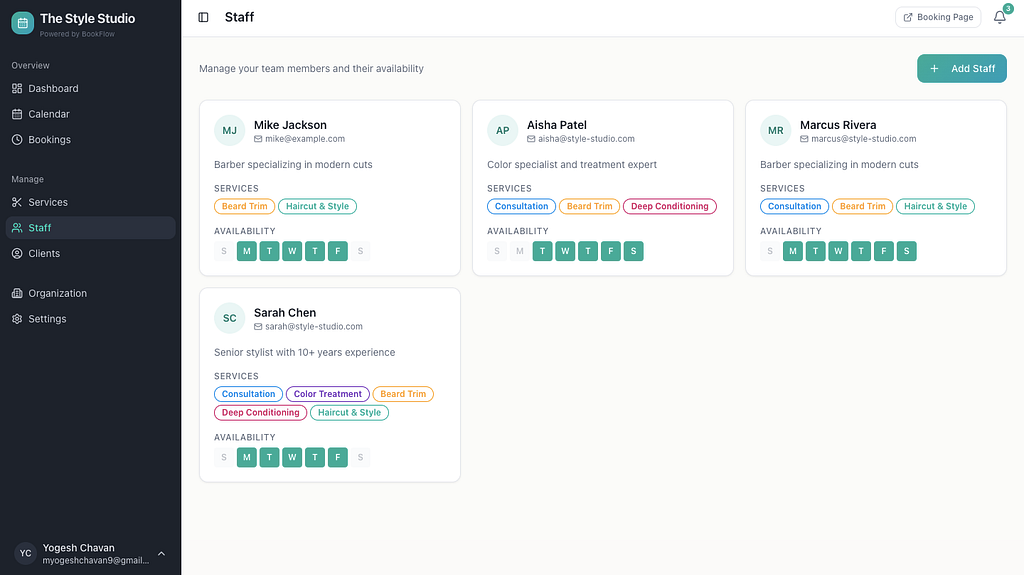
👥 Staff Orchestration
Assign services to team members, manage availability across locations, and balance workloads effortlessly.
📊 Revenue Analytics Dashboard
Real-time dashboards with revenue tracking, service breakdowns, and actionable growth insights.
🔔 Smart Notifications
Automated confirmations that keep clients engaged and informed.
🚫 No Booking Overlaps
Intelligent conflict detection prevents double-bookings. Staff availability is automatically blocked once a slot is taken, ensuring clients can only book truly open time slots.
🔒 Enterprise Security
Role-based access control so every team member sees only what they should.
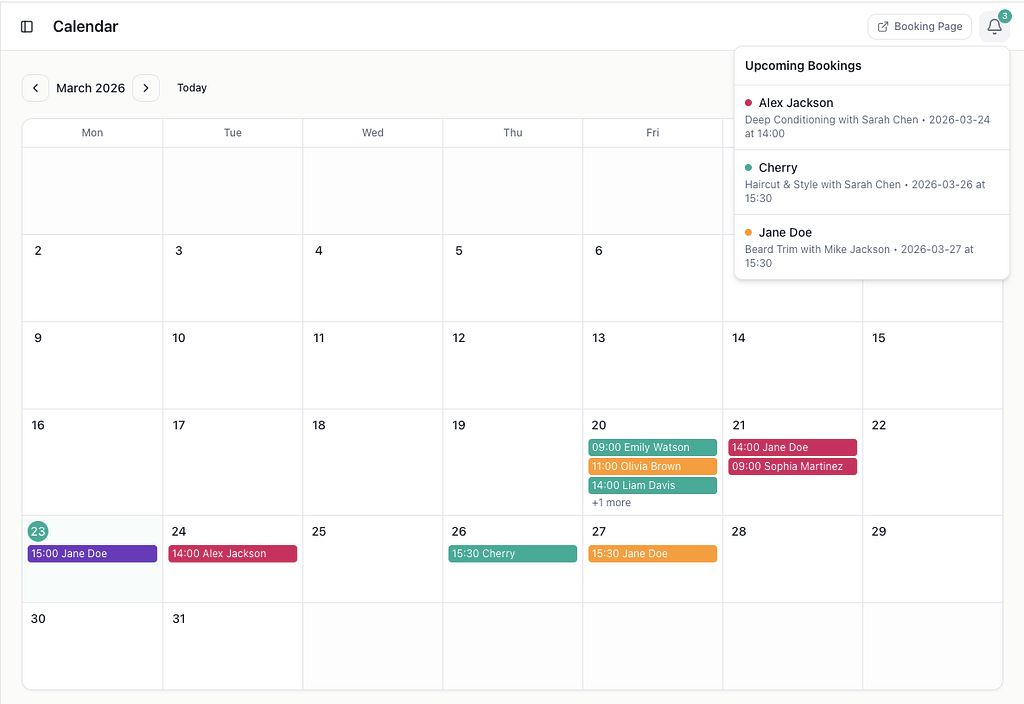
📅 Calendar View
Visualize your entire schedule in daily, weekly, and monthly views. Manage bookings without losing context.
🎨 Custom Branding
Each vendor can upload their logo and set a theme color for a personalized booking experience.
⚡ Frictionless Onboarding
Get your business live in minutes with a guided setup flow. No card required to start.
🌐 Public Booking Pages
Every business gets a clean, shareable booking URL that clients can use directly.
📱 Responsive Design
Works beautifully on desktop and mobile for both business owners and their clients.
🏥 Perfect For
- Clinics
- Salons
- Consultants
- Fitness Studios
- Spas & Wellness
- and any appointment-based business.
Few Application Demo Screenshots
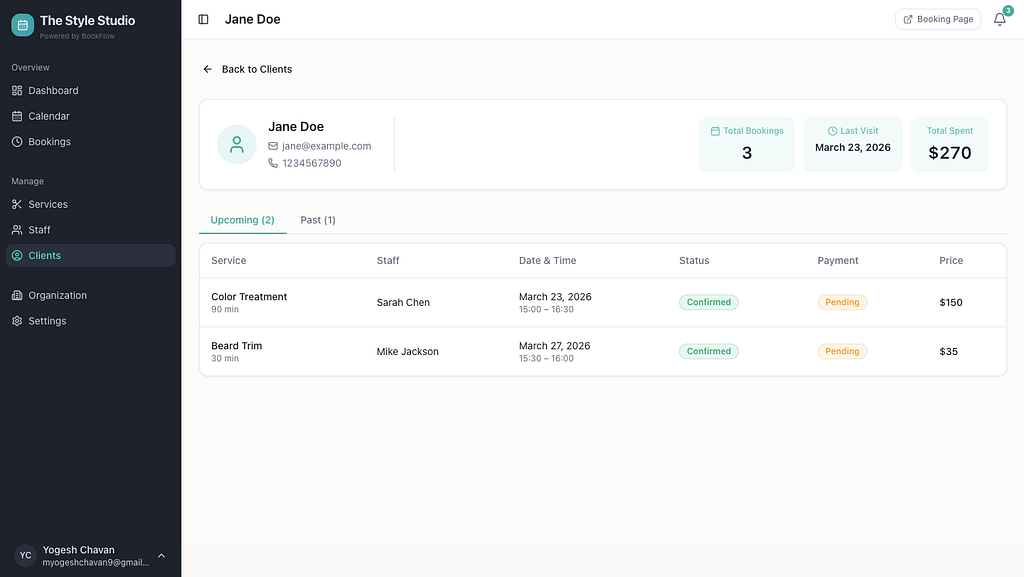
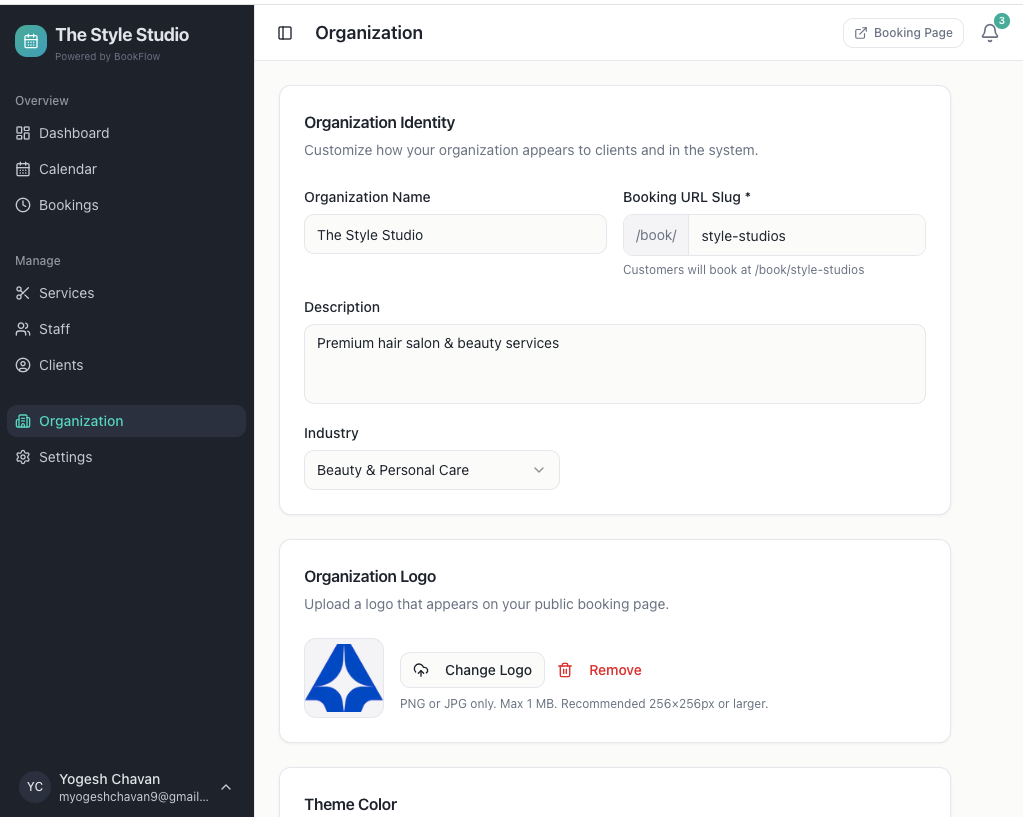
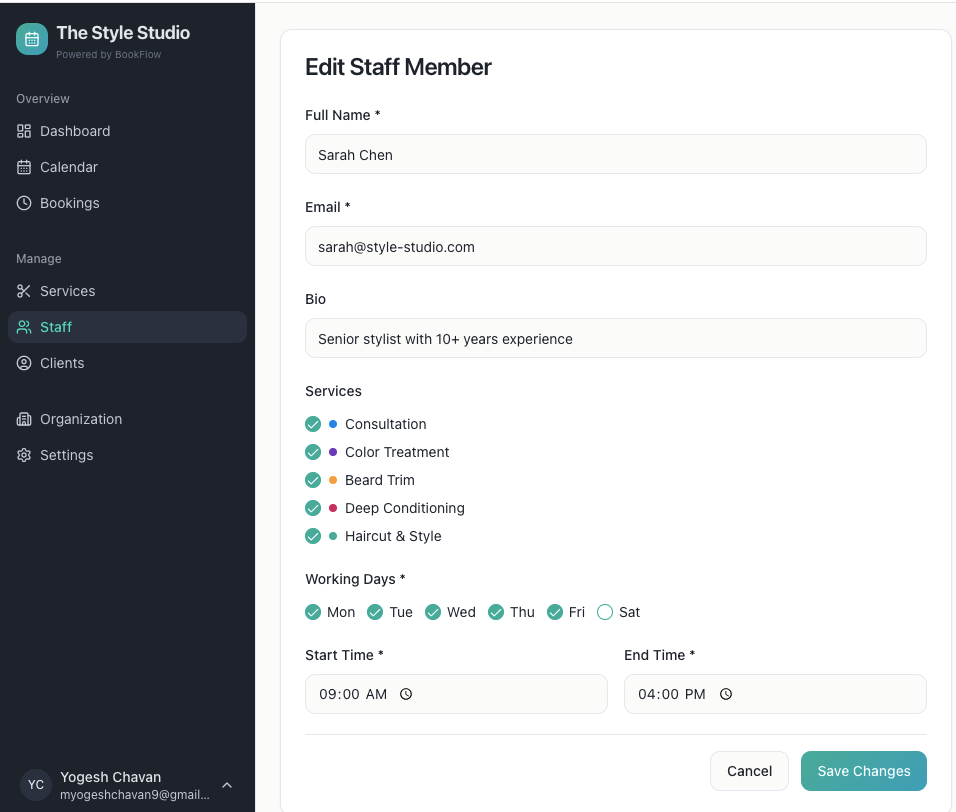
For Clients: A Simple Booking Flow
The client-facing side is intentionally minimal. Every organization gets a public URL at /book/[slug]. Clients land there and:
- Pick a service (with duration, price, and assigned staff shown upfront)
- Choose a date and available time slot
- Select a staff member (if multiple are available)
- Enter their contact details
- Confirm the booking
Available time slots are generated dynamically based on service duration, staff availability for that day, existing bookings, and configurable buffer times between appointments. Double-booking the same staff member is prevented at the database level.
No account required. No friction.
For Staff: A Focused Workspace
Staff members log in and see their own schedule. They can:
- View and manage their assigned bookings
- See their calendar (daily, weekly, monthly views)
- Update booking and payment statuses
- Manage their profile and availability
They don’t have access to settings, billing, or other staff members’ data. The permission model is intentionally narrow here — staff should see what’s relevant to them, nothing more.
For Admins: Full Business Control
Organization admins (business owners) get the full picture:
Dashboard — Revenue metrics, booking trends, today’s schedule, and a breakdown of revenue by service. The charts are built with Recharts and use loading skeletons so the page doesn’t feel janky while data loads.
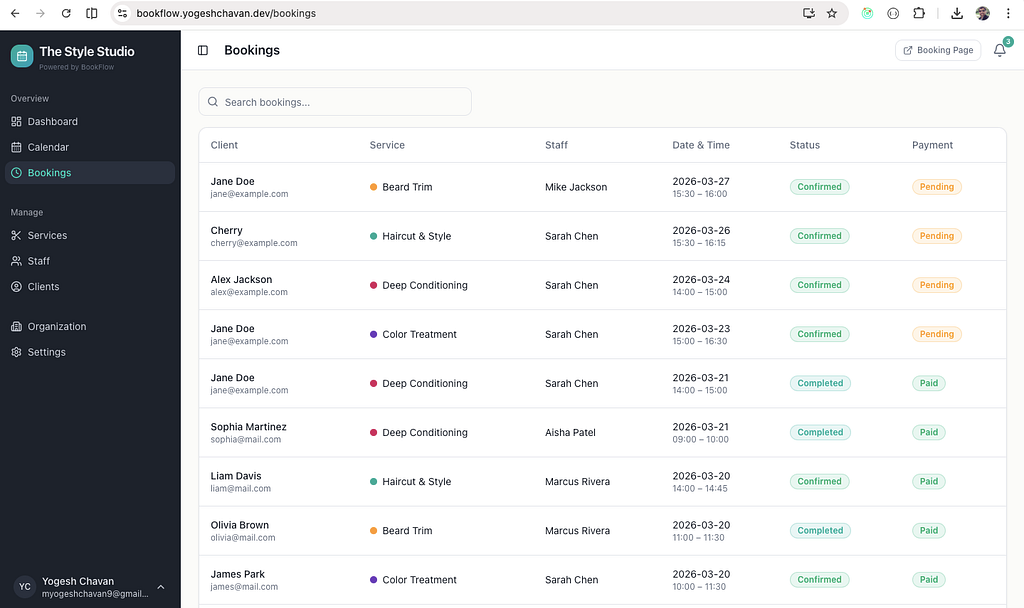
Bookings — A filterable, searchable list of all appointments with status badges (pending, confirmed, completed, cancelled, no-show) and payment statuses (pending, paid, refunded).
Calendar — A multi-view calendar where you can filter by staff and see color-coded services. Clicking an event shows full booking details.
Services — Create and manage services with custom duration, pricing, buffer time between appointments, color coding, and staff assignments.
Staff — Add team members, configure their weekly availability per day, and assign which services they offer.
Clients — A directory of everyone who has booked, with total booking count, total spent, and last visit date.
Settings — Working hours per day of week, booking policies (minimum advance time, cancellation window), currency, and admin user management.
Organization — Custom slug, logo, theme color, description, and industry.
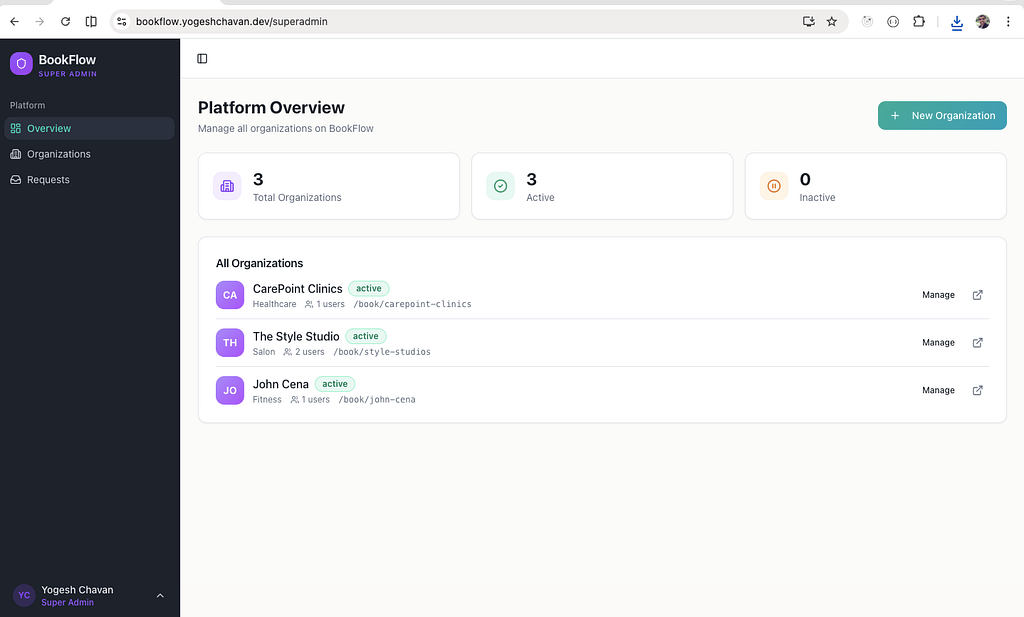
For Superadmins: Platform Oversight
There’s a superadmin layer above individual organizations. From there you can:
- View all organizations on the platform
- Create new organizations manually
- Review and approve/reject onboarding requests from businesses wanting to join
- Provide rejection reasons so applicants know what to fix
The onboarding flow supports two plan tiers (Professional and Enterprise). However, you don’t need to pay up front while sending onboarding request.
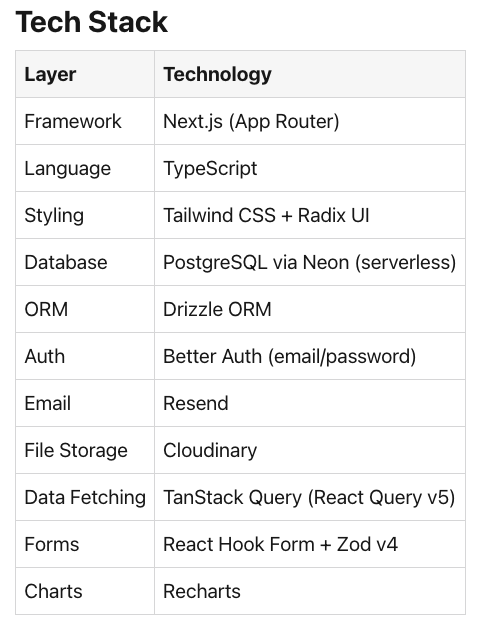
Check out the complete application here.
About Me
I’m a freelancer, mentor, and full-stack developer with 12+ years of experience, working primarily with React, Next.js, and Node.js.
Alongside building real-world web applications, I’m also an Industry/Corporate Trainer, training developers and teams in modern JavaScript, Next.js, and MERN stack technologies with a focus on practical, production-ready skills.
I’ve also created various courses with 3000+ students enrolled.
My Portfolio: https://yogeshchavan.dev/
I Built a Multi-Vendor Appointment Booking App was originally published in Level Up Coding on Medium, where people are continuing the conversation by highlighting and responding to this story.