Maintenance on an open source library never stops. Docs drift, parsers go untested, models get deprecated, and the to-do list grows faster than any solo maintainer can clear it. So we built a team of AI agents to take it on. They automatically test, critique, file bugs, and deliver fixes against the llm-exe codebase every day. And the maintainer’s job is mostly just saying yes or no.
This article is part of a series on llm-exe, a lightweight TypeScript toolkit for building composable, reliable functions on top of LLMs. Each post dives into a different part of the system: prompts, parsers, executors, llm, and how we use them together. This one is different. Instead of walking through a module, we’re talking about how we actually use them.
Why Maintenance
There’s a distinction to start with that matters, this system does maintenance, not building.
Building is about decision making. It’s deciding what the library should become, which features to add, and where to draw the boundaries. It requires understanding the users, the market, the tradeoffs between what’s possible and what’s worth committing to. AI agents aren’t particularly good at that, and we don’t use them for it.
Maintenance is a different story. It is where the technical debt actually lives. Where the docs drift out of sync after every small change and the parser edge cases stay hidden because the developer only ever tested with reasonable input.
It’s the model that got deprecated three months ago and you still list it in your shorthand config. The test file that only covers the obvious scenarios but never checks what happens when the LLM returns garbage. Maintenance is the 80% of the work that isn’t about deciding what to build. It’s about keeping what you already built from breaking.
Since that work usually just sits in a growing backlog, we assigned it to a team of AI agents. Not one agent that tries to do everything, but a team of specialists. Each with a narrow role, running on a schedule, doing the work nobody wants to do but every library needs. The structured prompts, typed parsers, and composable executors that llm-exe provides (the same building blocks the agents themselves are built on) made this practical to wire up. Agents handle the repetitive grind of coverage gaps and the stale docs and the edge cases. Humans focus on the parts that actually require a human: the vision, the architecture, the “should we even build this?” questions.
What we ended up with is AI agents acting as simulated users, testers, coders, and reviewers, all working on llm-exe itself. They run daily on GitHub Actions, powered by Claude Code. The human maintainer reviews their output, merges what’s good, closes what’s not, and occasionally nudges a prompt. That’s it.
Could this eventually extend into building new features? Maybe. That’s a different problem with a different set of constraints. But right now, the maintenance alone is more than enough to justify the system, and it’s the kind of work that agents are genuinely well-suited for.
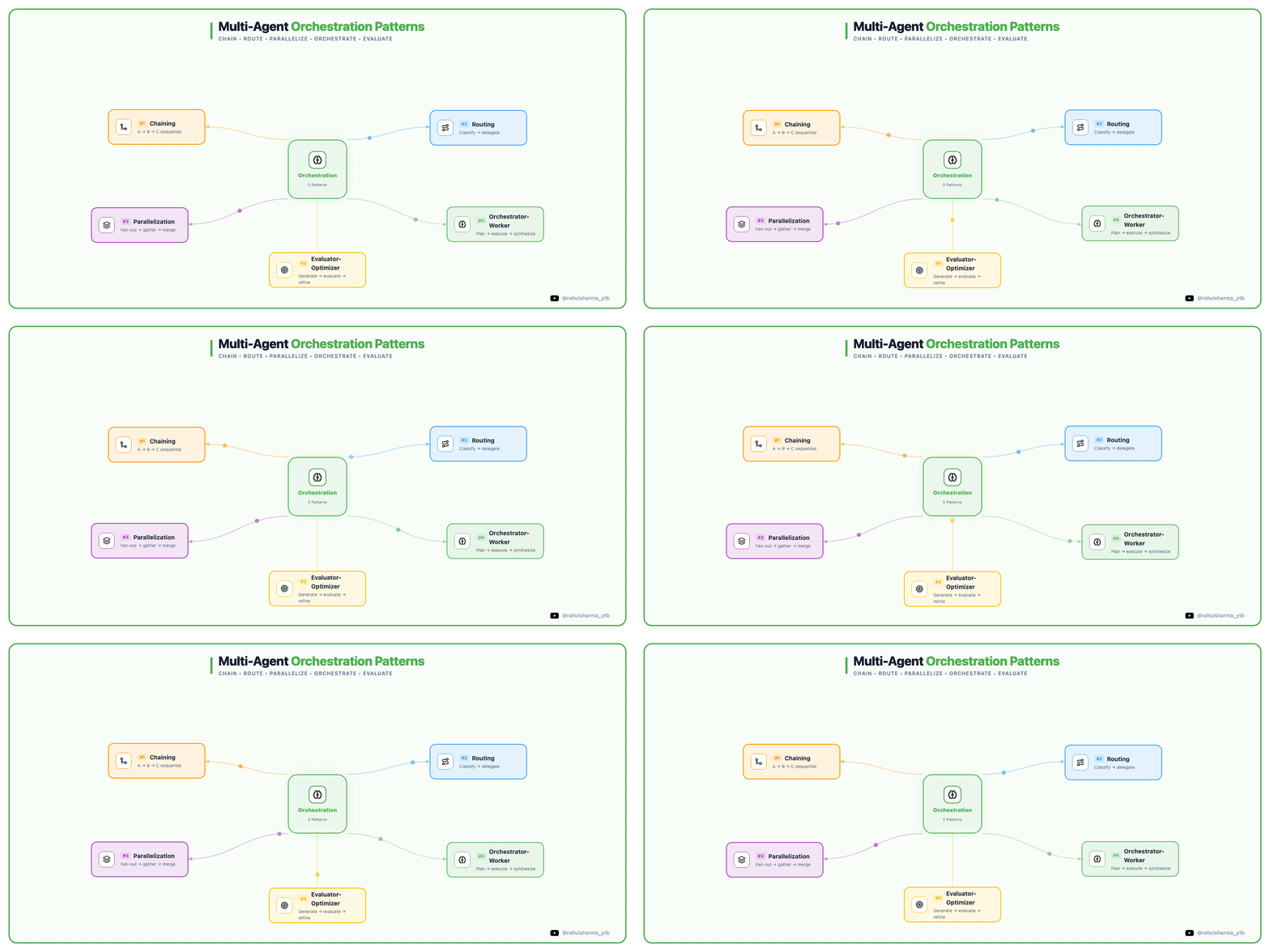
The Six AI Agent Roles
We built six distinct agent roles. Each one has a prompt that defines its personality, scope, and constraints. They don’t share context between runs. Every execution starts fresh from the codebase.
Personas (The Simulated Users)
Four AI personas use the library the way real developers would. They read the docs, try to build things, and write down what they experienced. They don’t file issues or write code, they just report.
Each one comes at the library from a completely different angle:
- The Beginner just learned TypeScript a few months ago. Follows documentation literally. If a step is missing, they’re stuck. Their superpower is catching every assumption the docs make about prior knowledge.
- The Harsh Critic is a senior engineer with 15 years of experience. Zero patience for sloppy APIs or inconsistent naming. Good work gets acknowledged, bad work gets torn apart.
- The Enterprise Developer is building a production system. They care about error handling, edge cases, and what happens when things go wrong. They read the source code, not just the docs.
- The Speed Runner doesn’t read docs. Skims the README for 30 seconds, looks at one example, and starts building. Expects good types and good error messages to guide them. Having to dig into source code to figure out how something works means the library failed, not the developer.
All four personas found issues on their first run. The Beginner couldn’t get the mock LLM provider to work because the docs listed the wrong key. The Speed Runner discovered that passing an invalid parser type silently falls back to StringParser instead of throwing. The Harsh Critic flagged naming inconsistencies between the Dialogue and Prompt APIs. None of these were things we'd noticed ourselves.
The Curator
After the personas run, the curator reviews their logs. Its job is to filter out what matters from what doesn’t. It reads every finding, checks whether it’s already been reported (searching both open and closed GitHub issues), and decides whether to promote it to a real GitHub issue or skip it.
The curator acts as a triage layer, ensuring that only actionable, high-priority persona findings reach the GitHub issue tracker.
From one real run, the curator reviewed ~31 findings across all personas. It promoted 6 to GitHub issues and skipped the rest. By seeing four different personas independently struggle with the same logic, it identifies systemic friction that a standard bug report would miss.
The Tester
The tester agent writes tests. It runs the test suite with coverage, identifies gaps, reads the source code to understand what would actually break, and writes tests that prove correctness. It only touches *.test.ts files. If it finds a bug, it writes a test that exposes it and files an issue for the coder to fix.
The Scout
The scout monitors the LLM provider landscape, checking OpenAI, Anthropic, Google, xAI, and DeepSeek docs for new models, deprecations, and API changes, then compares against what llm-exe currently supports. When Claude 3 Haiku’s retirement date was announced, the scout filed an issue. When new Claude 4.x model IDs appeared that we hadn’t added yet, the scout caught it. It doesn’t just dump raw data; it provides actionable context. Instead of “New model detected: gpt-5. Recommend adding shorthand,” it writes something like “OpenAI released GPT-5 last week. It’s already live in their API. We should add a shorthand. Here’s the model ID, here’s the docs.”
The Coder
The coder picks up open issues and delivers fixes. First step is reading the issue and posting a plan as a comment before writing any code. Then it implements the change, writes tests to prove it works, runs the full test suite and typecheck, and opens a PR.
From a real run, the coder picked up an issue about listToArray only stripping dash prefixes but not numbered (1.) or asterisk (*) prefixes. It updated a single regex, added four test cases and opened a clean PR.
The coder has guardrails and skips issues labeled breaking, needs-discussion, or on-hold. It prefers issues the maintainer has tagged agent-ok. It addresses one issue per run, it doesn’t try to fix things it wasn’t asked to fix.
The Daily Automation Pipeline
Here’s how it all fits together as a daily cycle on GitHub Actions:
12:00 AM  Personas run (all 4, sequentially)
            → Each writes findings to a log file
            → Curator runs after, reviews logs
            → Promotes real findings to GitHub issues
2:00 AM  Coder runs
            → Counts open issues
            → Spawns one coder per issue (max 5, sequential)
            → Each gets its own branch + PR
3:00 AM  Tester runs
            → Finds coverage gaps, writes tests, files bugs
4:00 AM  Docs agent runs
            → Updates documentation to match current API
5:00 AM  Scout runs (Mon/Thu)
            → Checks provider docs for changes
To keep the pipeline predictable, every agent runs with a 10-minute time budget. They’re told their start time and deadline, and instructed to wrap up early if they’re running low. A partial result is better than getting killed mid-work.
The Log System
Agents don’t share context between runs, they start fresh every time, with no memory of yesterday. Continuity is handled entirely through logs, every agent clocks in and out by writing to a persistent history.
When an agent starts, a shared shell function creates a skeleton log file with a timestamp, the branch name, and a status of “running.” When it finishes, another function stamps the finish time and marks it complete (or interrupted, if something went wrong).
But the interesting part is what happens in between. Every agent prompt ends with the same instruction to update the log before finishing with the work performed, the files modified, and the next logical step.
Here’s what a real log looks like after the coder finishes a run:
# coder agent / 2026-03-08T08:31:21
- **Branch**: agent/coder/2026-03-08
- **Started**: 2026-03-08T08:31:21Z
- **Finished**: 2026-03-08T08:36:00Z
- **Status**: complete
## Summary
- Fixed #196: listToArray parser now strips numbered and asterisk
  list prefixes in addition to dash prefixes
- Updated regex from /^- / to /^(?:[-*] |\d+\. )/
- Added 4 new test cases
## Files Changed
- src/parser/parsers/ListToArrayParser.ts
- src/parser/parsers/ListToArrayParser.test.ts
## Next Steps
- Issue #194: Number parser returns -1 sentinel (potential breaking change)
- Issue #195: createParser() silently falls back to StringParser
- Issue #191: JSON parser silently returns {} on invalid input
That “Next Steps” section is the continuity mechanism. The agent doesn’t remember writing it, but the next agent that reads the logs directory sees what was left behind. The curator reads persona logs to decide what to file. The tester can look at what the coder flagged. Each run builds on the last, even though no single agent carries state.
The logs also give the maintainer a paper trail. Instead of guessing what an agent did or why a PR looks the way it does, you can read the log and see its reasoning. When something goes wrong (and things do go wrong) you can trace back through the logs to understand where the process broke down.
When the coder opens a PR, a separate review workflow kicks in automatically. The maintainer gets a notification with the diff, the test results, and the agent’s reasoning, and from there it’s a yes or no.
What the Human Maintainer Actually Does
This is probably the most interesting part. The maintainer’s daily routine with this system looks like:
- Wake up to a few notifications
- Skim the PRs the coder opened overnight
- Merge the ones that look good
- Close the ones that don’t
- Occasionally label an issue agent-ok or on-hold to steer the agents
That’s it. The agents do the research, write the code, write the tests, and open the PRs, and the human provides judgment.
Some issues get closed with a one-word comment while some PRs get merged without changes. Occasionally the maintainer adds a label or leaves a comment that adjusts behavior for the next run, and the agents pick it up because they read issue labels and existing comments before starting work.
The labels act as a lightweight control system:
- agent-ok: "this is approved for agent work, go ahead"
- on-hold: "I've parked this, don't touch it"
- needs-discussion: "this requires human input first"
- breaking: "this is a major version change, park it"
No configuration files to update and no prompt changes. Just GitHub labels that the agents already know to check.
And of course, llm-exe is open source. The agents aren’t the only ones who can contribute. If you spot something, want to fix a bug, or have an idea for an improvement, the repo is at github.com/gregreindel/llm-exe. PRs from humans are welcome too. You can also see the agent-generated issues and PRs live in the repo, nothing is hidden.
What Went Wrong (And What We Learned)
This didn’t work perfectly on day one. Here’s what broke and how we fixed it:
Duplicate issues. The personas would independently find the same problem, and without deduplication, the curator would file the same issue three times. To fix it the curator prompt now requires searching both open AND closed issues before creating anything new. “Duplicates waste the maintainer’s time and make us look sloppy.”
Duplicate PRs. The coder would create a new PR for an issue that already had an open PR from a previous run. Multiple PRs stacked up targeting the same fix. This is still being refined. The coder needs to check for existing PRs before creating new ones.
Branch collisions. Early on, branch names used only the date (agent/coder/2026-03-05). If the coder ran twice in one day, the second run would collide with the first. To fix this branch names now include a suffix, like the issue number for coders (agent/coder/2026-03-09-issue-178) or timestamps for others.
Persona scope creep. The personas would sometimes explore endlessly, burning through their turn limit without writing anything useful. We added guardrails to the prompt: “Pick 2–3 things to try, go deep on those, and document your findings. Don’t endlessly explore. Quality over quantity.”
Silent CI failures. Some workflows would fail without clear error messages, usually because of sed portability issues between macOS and Linux. To address this we replaced sed -i with a temp file approach that works on both platforms.
Bot identity. Using a personal access token for agent commits meant everything showed up as the maintainer’s activity. My GitHub contribution graph looked impressive, but it was a lie. The fix was to create a GitHub App (llm-exe-bot) with its own identity, so agent commits and PRs are clearly distinguishable from human work.
Why This Works (And Why It Might Not For You)
This works because the CI pipeline was already rigid before any agents arrived. They don’t operate in a special sandbox; they submit PRs that go through the exact same checks as a human’s.
The flow is branch → development → main, and most of it is automated. Agent PRs target development. Every PR runs the full test suite, 1,275+ tests across 152 suites. TypeScript strict mode catches type regressions, while ESLint enforces style.
It goes further than unit tests; the pipeline also builds and packages the library, then runs a separate suite of live tests against real LLM providers (OpenAI, Anthropic, the works). If a coder “fixes” something that breaks the actual integration, it gets caught before merge, and these tests run against real APIs.
Once changes land on development, a PR to main is created automatically. If checks pass, it auto-merges. Draft releases are auto-generated and populated with the changes. When the maintainer is ready to release, they click "publish" on the draft release in GitHub, which triggers the pipeline to automatically publish the package to npm. The maintainer's only real decision points are yep or nope on the PRs going into development, and when to click release.
The agents don’t get special treatment anywhere in this pipeline. If the coder opens a PR and the tests fail, it fails the same way a human PR would. If the tester writes a test that doesn’t compile, typecheck blocks it. The pipeline doesn’t care who wrote the code.
This matters because it means the maintainer doesn’t need to carefully audit every line an agent writes. The CI pipeline is the first reviewer. By the time a PR lands in the maintainer’s inbox with a green checkmark, the boring stuff (does it compile, do the tests pass, does it break anything against real LLMs) is already answered. The maintainer’s review is about judgment, whether the fix is right, the approach is sound, and the change should even happen.
That existing rigor is what made the agent system feasible. If the test suite was flaky, or if you could merge without checks passing, or if there were no live integration tests, you’d be reviewing agent output with no safety net. The agents fit in because the pipeline was already built to catch the kinds of mistakes agents make.
A few other things that make this work:
- The codebase is small and well-typed. Agents can read the whole thing in a few minutes. There’s no hidden state or complex build pipeline getting in the way.
- The work is well-scoped. Writing a test, fixing a parser edge case, updating a doc page. These are 10-minute tasks with clear boundaries. We’re not asking agents to architect new features.
- The feedback loop is fast. An agent opens a PR, the maintainer sees it the next morning, merges or closes it. The agent runs again tomorrow with the updated codebase, and changes compound.
- Judgment stays with the human. The agents don’t decide what’s important. The personas observe, the curator triages, the coder implements, but the maintainer decides what is released. Labels and issue comments are the steering wheel.
This probably wouldn’t work well for a large monorepo, a codebase with no test coverage, or anything where a 10-minute time budget isn’t enough to understand the context. It works here because the pipeline was already solid and the tasks are the right size.
The Library That Maintains Itself
There’s something satisfying about a library for building LLM-powered functions being maintained by LLM-powered agents. The personas use llm-exe’s own parsers and executors during their testing sessions. When they find a bug in the JSON parser, the coder fixes it, the tester writes a regression test, and the next persona run exercises the fix.
The library is working on itself. The tools it provides (structured prompts, typed parsers, composable executors) are the same patterns the agents use to do their jobs. When we improve the library, the agents get better at maintaining it. When the agents find friction, the library gets better.
This post is one piece of a series on building with llm-exe. The rest of the series walks through the core modules, each designed to work independently but built to fit together:
- Executors: Bind model + prompt + parser into a well-typed function.
- Prompts: Create structured, reusable templates that adapt to your data.
- Parsers: Convert messy LLM output into clean, typed responses.
- LLM: Choose and configure the models that power it all.
- Function Calling: The pattern behind tool use, and how to build it yourself.
How We Built an AI Agent Team to Maintain Our Open Source TypeScript Library was originally published in Level Up Coding on Medium, where people are continuing the conversation by highlighting and responding to this story.