How to Mint Your First NFT in Satoshi Room
 Satoshi Room5 min read·Just now
--
A Complete, Beginner-Friendly Guide
Minting an NFT in Satoshi Room is more than a blockchain transaction — it’s your entry into a competitive creative ecosystem where every mint increases your influence across multiple games.
This guide explains the process step by step: preparing your wallet, choosing your minting method, uploading artwork, confirming your transaction, and avoiding common pitfalls.
Supported Wallets and Browsers
Satoshi Room currently supports the following wallets: Phantom, Solflare, Backpack.
For the best experience, use a modern browser such as: Chrome, Opera, Brave.
What You Need Before Minting
To mint NFTs, connect a supported Solana wallet.
Payment is made in USDC, and network fees are paid in SOL.
Artwork Options
Artwork can be added in two ways:
- uploading a custom file
- using a platform-generated color template
If you upload your own file, make sure it meets the following requirements:
- formats: JPG, PNG, WEBP
- max size: 2 MB
- recommended resolution: 200×200 px
Allowed vs. Prohibited Content
Satoshi Room allows you to upload your own artwork — but there are guidelines to keep the platform safe and fair.
Permitted Content
In short — original, creative, and non-harmful material.
By uploading artwork, you confirm that you own the rights to the content or have permission to use it.
You may upload:
- Original artwork and creative graphics
- Content you created or have the rights to use
- Your likeness or the likeness of people who have given their consent
- Content compliant with applicable law
- Educational, creative, or documentary content
- Promotion of creative or professional activities
- Authentic and positive community content
- Entertainment content
Prohibited Content
Most of these are straightforward.
Prohibited content includes:
- Violence and hate speech
- Nudity and pornography
- Religious manifestos
- Content offensive to social groups
- Scams and fraud
- Spam and manipulation
- Encouragement of harmful behaviors
- QR codes
- Graphic or gory content
- Promotion of illegal activity
- Copyright or intellectual property infringement
NFT graphics containing prohibited content will be hidden.
The owner of the NFT will be immediately excluded from all prize competitions and will lose all related privileges.
These rules help keep Satoshi Room safe, creative, and enjoyable for everyone.
How Price Tiers Work
If a batch mint crosses into a new price tier, NFTs minted before the threshold keep the previous price, while the remaining NFTs follow the new price.
The current price tier status is shown above the “MINT” button.
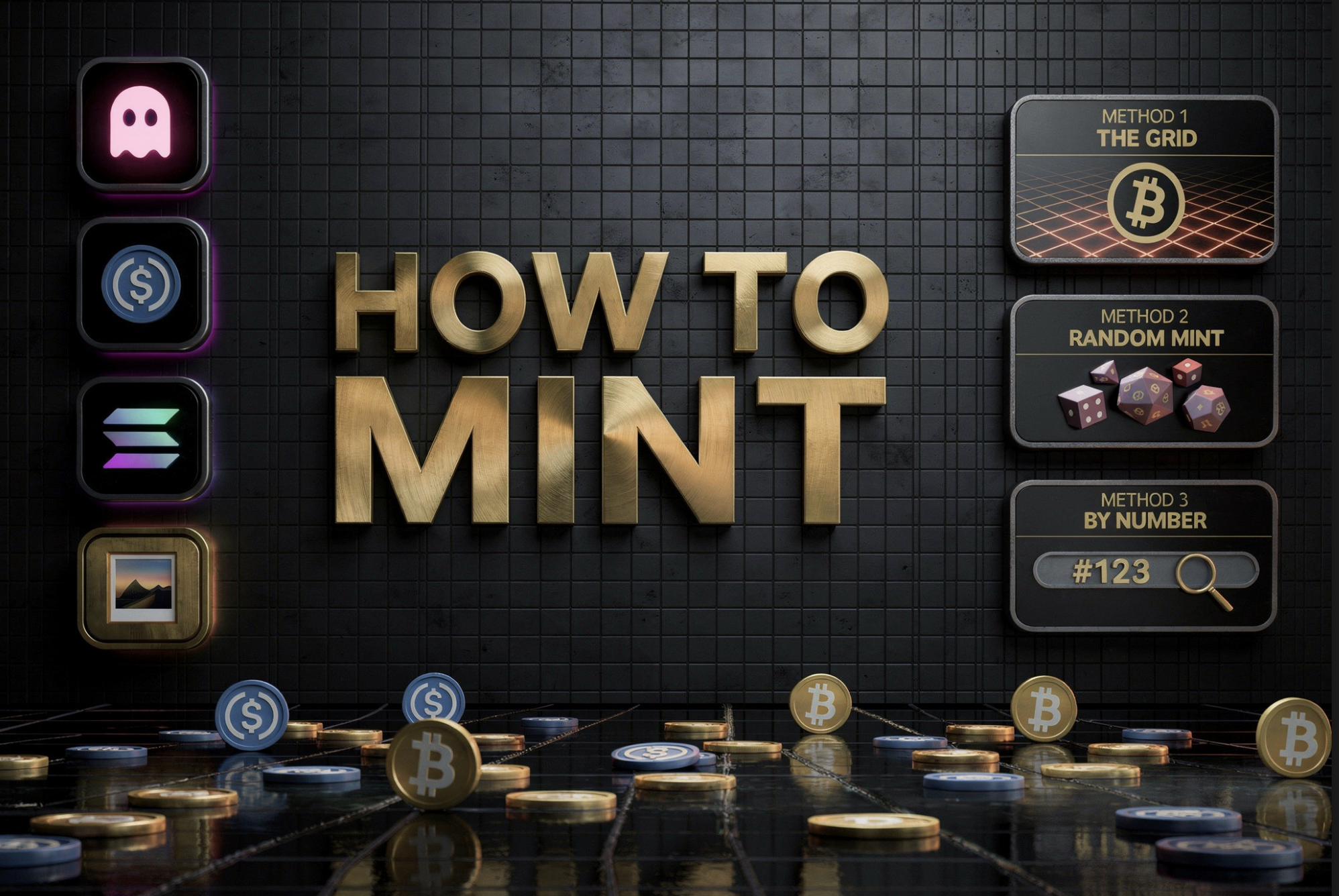
Three Ways to Mint NFTs
Satoshi Room offers three ways to mint NFTs — choose the one that fits your style.
Minting from the NFT Grid
This method lets you mint NFTs by selecting specific tiles on the grid. A single transaction can mint between 1 and 100 NFTs.
Step-by-step:
- Open the Satoshi Room platform.
- Connect your wallet.
- Go to the NFT Grid and zoom in to view individual tiles.
- Hover over a tile (or tap it on mobile) to see its status:.
orange = available
blue = already minted - Click on an available tile on the Grid.
- In the tile panel, click the “Mint” button to open the mint interface.
- To mint more than 1 NFT, hold the left mouse button for about 2 seconds and drag to select an area; on mobile, press and hold your finger on the grid and drag to select tiles.
- If the selected area includes already minted tiles, the selection cannot be minted and you will need to choose another area.
- Only square selections are allowed, up to 10×10 per transaction.
- Choose the visual style: add an image (for batch mints, the image will be split into a mosaic) or set a solid color.
- Accept the Terms & Conditions.
- Click “Mint” and confirm the transaction in your wallet.
Random Minting
Random Minting lets you mint 1, 4, 16, 36, 64, or 100 NFTs at once without choosing specific tiles. The platform automatically assigns available tiles on the grid.
Step-by-step:
- Open the Satoshi Room platform.
- Connect your wallet.
- On the main page, locate the current NFT price and click the “MINT” button below it on the right side.
- Select the number of NFTs to mint.
- The system assigns available tiles in one contiguous square block (up to 10×10).
- Tiles are assigned automatically and become visible after the mint is completed.
- Choose the visual style: upload one image (it will be split into a mosaic) or set a solid color for the whole batch.
- Accept the Terms & Conditions.
- Click “Mint”, then confirm the transaction in your wallet.
Minting by NFT Number
This method allows minting a single NFT by entering the exact tile number on the grid.
Step by step:
- Open the Satoshi Room platform.
- Connect your wallet.
- Enter the NFT number in the search field, starting with “#” (e.g., #123456).
- If the tile is available, click the orange “Create NFT #…” button and continue.
If the tile is already minted, the search result will display the owner’s wallet address instead.
- Add an image or choose a solid color.
- Accept the Terms & Conditions.
- Click “Mint” and confirm the transaction in your wallet.
After Minting
After a few seconds, your NFT appears in your wallet’s collectibles section and on your profile.
You can find your profile by searching for your wallet address in the search bar, or by clicking your address in the top-right corner and selecting “My Profile.”
Common mistakes to avoid
- Wallet not connected
- Incorrect format or file too large
- Transaction not approved in the wallet
- Clicking “Mint” multiple times
- Not enough SOL for network fees
Checking these points first helps avoid failed mints and delays.
Stay safe while minting
- Only use the official project website
- Never share your seed phrase or private key
- Ignore suspicious DMs and unknown links
- Consider a hardware wallet for valuable NFTs
- Always review transaction details before approving
In Summary
Minting an NFT in Satoshi Room is simple — but powerful. In just a few clicks, you can turn your artwork into a permanent digital collectible that lives on the blockchain.
Choose your method, upload your art, confirm the transaction — and you’re officially part of the Web3 creative world.
To see the board in action and mint your first NFT, visit the official Satoshi Room platform.
You can also follow the project for updates, new game announcements, and community discussions on X and Telegram