How I Built a Multi-Channel AI Gold Trading Bot in Python (From Scratch)
 Alhan Bellary5 min read·Just now
--
By Alhan Bellary · GitHub: @alhaannn · Python Developer · Hubballi, India
— -
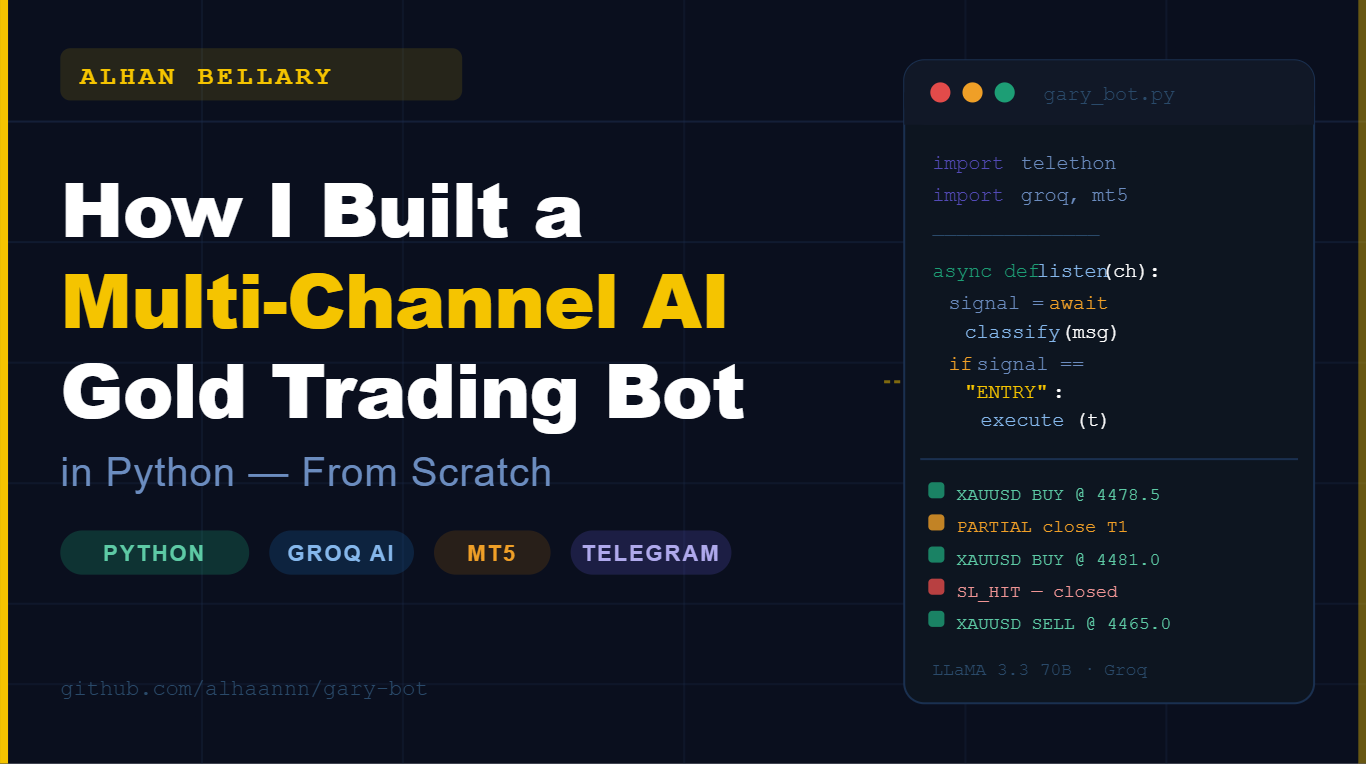
When I started learning Python, I wanted to build something real — not a to-do list app, not a calculator. I wanted something that solved an actual problem and ran in production. That’s how GaryBot was born: a fully automated gold trading bot that listens to Telegram signal channels, classifies trade signals using an LLM, and executes trades on MetaTrader5 — all in real time.
In this post, I’ll walk through the full architecture, key decisions, and lessons learned building a production-grade Python trading automation system.
— -
The Problem: Manual Signal Trading Is Slow and Exhausting
Gold (XAUUSD) trading signal channels on Telegram post trade setups that look like this:
```
Gold Buy Now @ 4481–4476
Sl: 4471
TP: 4486/4491
```
If you’re subscribed to 3–4 different channels, you’re watching your phone all day. A few seconds of delay can mean a bad fill. And every channel has its own style — different wording, different formats, different emoji usage. A simple keyword parser breaks the moment a trader adds a new phrase.
— -
The Solution: LLM-Powered Signal Classification
Instead of writing rigid rules, I connected the bot to Groq’s LLaMA 3.3 70B API. The LLM doesn’t look for keywords — it understands what the message means. A message like:
> *”Boom! Can take the profit 100PIPS”*
gets correctly classified as a `CLOSE` signal, even though it contains no standard closing keywords.
This is the core insight of GaryBot: use AI where human language understanding is needed, and use deterministic code everywhere else.
— -
Architecture Deep-Dive
The bot is split into 8 focused Python modules:
1. `telegram_listener.py` — Async Multi-Channel Listener
Built on Telethon, Python’s most capable async Telegram client. The listener starts a coroutine per channel and routes every message to the signal parser.
```python
async def handle_message(event, channel_config):
msg = event.message.text
if not is_valid_timestamp(event.message.date):
return # reject stale/future messages
signal = await classify_signal(msg, channel_config)
await execute_signal(signal, channel_config)
```
Key design choice: message validation. We reject any message older than 5 seconds or with a future timestamp to prevent duplicate execution on reconnect.
2. `signal_parser.py` — Groq LLM Signal Classification
Each channel gets its own AI prompt in `prompts/{channel}.txt`, auto-generated by analyzing the channel’s message history. The prompt teaches the LLM that channel’s exact signal style.
The parser returns a structured signal:
```python
{
“type”: “ENTRY”, # ENTRY / PARTIAL / CLOSE / SL_HIT / IGNORE
“direction”: “BUY”,
“entry_low”: 4476.0,
“entry_high”: 4481.0,
“sl”: 4471.0,
“tp1”: 4486.0,
“tp2”: 4491.0
}
```
3. `trade_executor.py` — MetaTrader5 Trade Execution
Uses the official `MetaTrader5` Python package. On an ENTRY signal:
```python
entry_price = (entry_high + entry_low) / 2 # midpoint of zone
open_trade(entry_price, sl, tp1, lot=0.01, comment=”T1")
await asyncio.sleep(0.2) # 200ms delay
open_trade(entry_price, sl, tp2, lot=0.01, comment=”T2")
```
Two trades per signal: T1 targeting TP1, T2 targeting TP2. When T1 hits, we close it and move T2’s stop-loss to breakeven — locking in profit while letting T2 run.
4. `trade_manager.py` — Persistent State Per Channel
Each channel has its own `trades_{channel}.json`:
```json
[{
“signal_id”: “20250325064012”,
“direction”: “BUY”,
“entry_price”: 4478.5,
“tickets”: [123456, 123457],
“partial_applied”: false
}]
```
If the bot crashes and restarts, it loads this state and continues managing open trades exactly where it left off. No position is ever orphaned.
5. `fetch_history.py` — Auto-Prompt Generator
This is what makes GaryBot truly adaptive. Run this once per channel:
```bash
python fetch_history.py
```
It fetches the last 2,000 messages from each channel, analyzes patterns (BUY/SELL keywords, entry formats, SL/TP styles), and writes a custom AI prompt to `prompts/{channel}.txt`. The bot then uses that prompt for all future classifications.
When a trader changes their signal style, just re-run `fetch_history.py`.
— -
Key Engineering Decisions
Why Groq over OpenAI?
Speed. Groq’s inference is consistently sub-300ms, which matters when you need a trade executed within seconds of a signal posting. OpenAI’s gpt-4o was 2–3x slower in my testing.
Why per-channel state files over a database?
Simplicity and portability. This bot runs on a Windows Server EC2 instance. JSON files have zero setup, zero maintenance, and are human-readable for debugging. For a single-user trading bot, a database would be overkill.
Why validate message timestamps?
Telegram sometimes delivers buffered messages on reconnect. Without timestamp validation, the bot would re-execute old signals after a restart — a dangerous and expensive bug to hit on a live account.
Why 2 trades per signal instead of 1?
Because partial close strategy (take profit on T1, move T2 to breakeven) is the standard in signal-following trading. It locks in some profit while giving the second trade room to run to full TP.
— -
Lessons Learned
1. Prompt quality is everything. The same LLM performs completely differently with a generic prompt vs. a channel-specific prompt trained on real message history. Auto-generating prompts with `fetch_history.py` was a game-changer.
2. State management is underrated. Most bot tutorials skip this entirely. Persistent state is what separates a demo from a production system. Without it, a single crash orphans your open positions.
3. Async is non-negotiable for multi-channel. A synchronous bot blocks on slow channels. With `asyncio` and Telethon’s event system, all channels are monitored in parallel with zero blocking.
4. Don’t over-engineer early. The first version was a single-file script. The modular 8-file architecture came from real pain points encountered while running it live — not from planning.
— -
Results & What’s Next
GaryBot currently monitors 5 Telegram signal channels simultaneously and has run continuously for weeks without crashes. The AI classification accuracy is high enough that manual monitoring is no longer needed.
Next planned features:
Web dashboard for monitoring open trades and P&L
Discord integration alongside Telegram
Risk management module (auto-sizing based on account balance)
— -
Full Source Code
The complete source code is available on GitHub:
👉 github.com/alhaannn/gary-bot
— -
About the Author
I’m Alhan Bellary (@alhaannn), a Python developer from Hubballi, Karnataka, India. I build trading bots, AI-powered web applications, and automation tools.
Other projects:
AutoPilot-Judge — AI vision automation tool using Groq LLaMA 4 Scout
Agricultural Market Price Intelligence — Django ML agri platform
Crop Yield Forecasting System — AI farm management platform
secure-validator — Hackathon Python password security tool
CraveCourier Website — Live food delivery web app
Certifications: Oracle Certified Data Science Professional · IBM Certified AI Literacy
— -
Tags: python · trading-bot · metatrader5 · telegram-bot · groq · llama · automation · algorithmic-trading · gold-trading · backend · alhan-bellary · alhaannn