Getting a Crypto Card in One Telegram Session — The Full BeeXpay Onboarding Guide
 BountyPortals Official Blog4 min read·Just now
--
The typical crypto card process takes days — here’s one that doesn’t
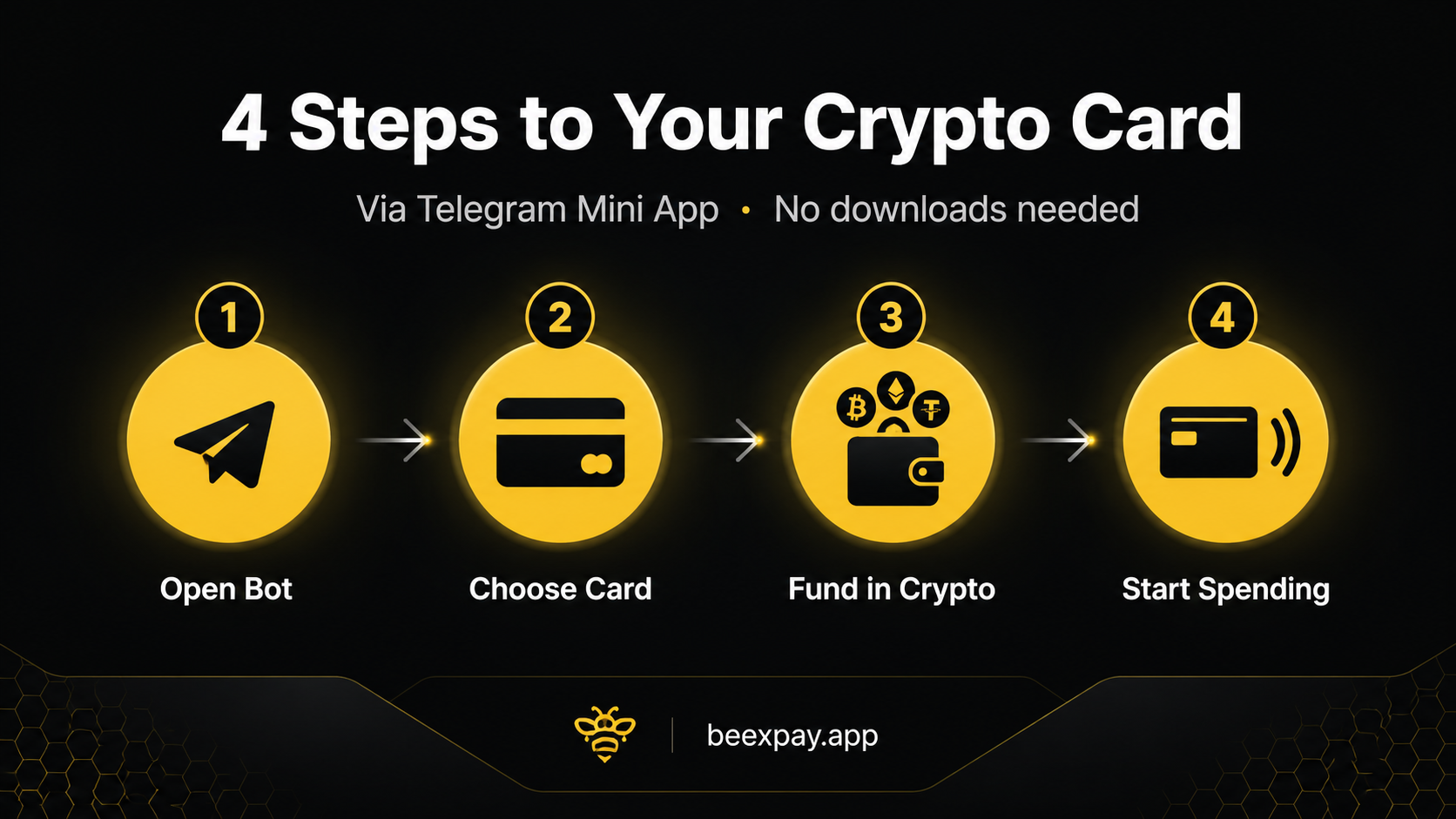
Most crypto card products require a multi-day onboarding sequence: download an app, create an account, verify email, upload identity documents, wait for review, complete identity verification, fund the account, wait for the card. Each step has its own friction point. Each transition between steps loses some percentage of users. The end-to-end completion rate is often surprisingly low. BeeXpay’s Telegram Mini App approaches this differently. The full flow — open bot, choose card, fund with crypto, activate — runs in one Telegram session. Most users with crypto already in a wallet complete it in under thirty minutes. The compression is the design choice that defines the product. Understanding **how to get a crypto card** through this model is the relevant starting point for evaluating it.
Why app-based onboarding fails many users
Traditional app-based onboarding has documented drop-off patterns. The install step itself loses users — particularly those on phones with limited storage, in regions where app stores have restricted catalogs, or who simply do not want another app. The account creation step loses users to email verification timing or password complexity rules. The KYC step loses the largest share — document upload, selfie capture, review delays. The funding step loses users who do not have crypto ready or who hit network confirmation delays. By the time the card is active, the original cohort of interested users has been substantially trimmed. The Mini App model removes the install step entirely and compresses the rest.
What you need before starting (crypto, basic info)
The prerequisites are short. First, Telegram installed on the user’s device. Most crypto-aware users already have it. Second, crypto in a wallet the user controls — BTC, ETH, USDT, or other BeeXpay-supported cryptocurrencies. The user needs to be able to send from this wallet to an address BeeXpay provides. Third, basic identification information for Light KYC — proportional to the product’s limited capability, no full document submission. Fourth, the user’s location in a non-restricted territory — BeeXpay services are unavailable in the United States, United Kingdom, Russia, Iran, North Korea, Afghanistan, Syria, Cuba, Libya, Somalia, Sudan, and Crimea.
Step 1: Opening the BeeXpay Telegram Mini App
The entry point is the bot link: https://t.me/Beexpay_bot. Opened inside Telegram, the link adds the BeeXpay bot to the user’s chat list. The bot’s welcome message offers the Mini App launch button. Tapping the button opens the Mini App interface — a full application running inside Telegram, no separate download. The Mini App handles card selection, KYC, funding, and ongoing management. The first interaction does not require the user to provide any identifying information beyond what Telegram already has. Identity verification happens at the next step, and only at the level Light KYC requires.
Step 2 & 3: Choosing and funding your card
Card selection presents the virtual card option ($10, Light KYC, instant activation). The user confirms selection. Light KYC runs — basic identification, completed in the Mini App in a few minutes. After KYC clears, the Mini App displays a funding address for the user’s chosen cryptocurrency. The user sends crypto from their wallet to that address using the correct network (Ethereum, Tron, Bitcoin, etc. — matching the wallet’s available networks). The amount should cover the $10 issuance plus additional crypto for spending. The reload fee (4% under Light KYC) applies to the funding amount. Blockchain confirmation time varies — a few minutes for Tron, longer for Bitcoin mainnet.
Step 4: Activation and immediate usage
Once the blockchain confirmation clears, the card balance updates automatically. The Mini App displays the card details: 16-digit number, CVV, expiry, cardholder name. The user can begin using the card immediately at any online merchant accepting standard card payments. The card details can be added to mobile wallets (Apple Pay, Google Pay) on supported devices, extending usage to tap-to-pay at compatible point-of-sale terminals. The first transaction processes exactly like any debit card payment — the merchant sees a standard card transaction, the conversion from crypto to USD happens at the moment of payment in approximately five seconds, and the order completes normally.
Cost transparency: what the first month actually costs
The first-month cost depends on usage. Fixed: $10 card issuance. Variable: reload fees at 4% Light KYC on the funded amount, transaction fees at $0.25–$0.50 USD or 1.5–2% non-USD. For a user funding $100 and spending it across ten USD purchases: $10 issuance + $4 reload + $5 transaction fees = $19 total, leaving $96 of spending power on $110 of crypto sent (after fees). For a user funding $500: $10 + $20 + $5 = $35 total, leaving approximately $480 of spending power. The math is documented and scales linearly. Users planning higher monthly volume should consider Full KYC’s 2.5% reload fee through the Beexpay mobile app.
Closing CTA
Start using BeeXpay → https://t.me/Beexpay_bot
**Medium Tags:** Crypto Card, Telegram, Fintech, How To, Blockchain