The Missing Manual for ASP.NET Core pipelines. A line-by-line breakdown of how HTTP requests actually flow through your server.
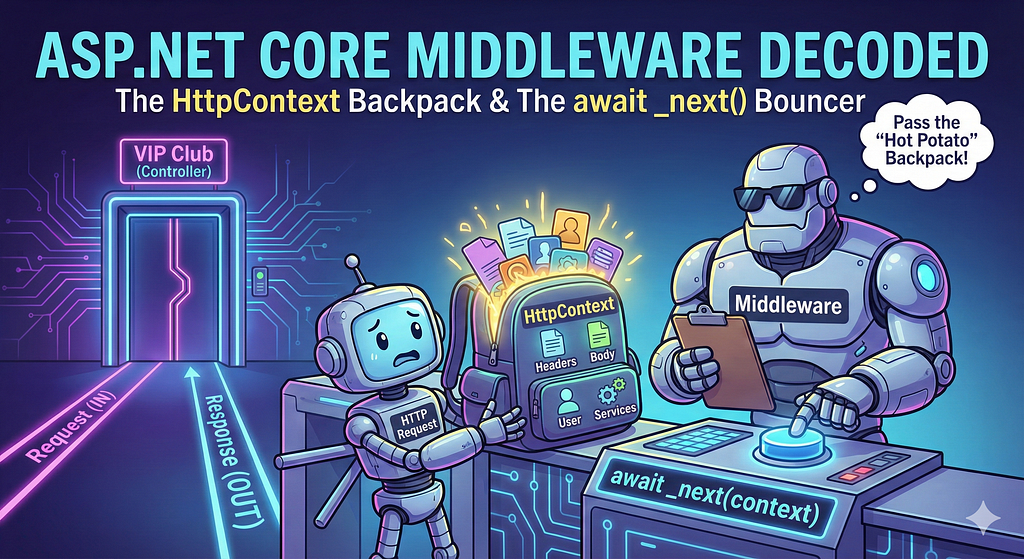
👋 Welcome to Part 2 of the Demystifying .NET series! In Part 1, we broke down exactly how async, await, and Tuples work in C#. Today, we are tearing apart ASP.NET Core Middleware to see exactly how HTTP requests flow through your server.
The Source Code We Are Studying
#region Assembly Microsoft.AspNetCore.Http.Abstractions, Version=9.0.0.0, Culture=neutral, PublicKeyToken=adb9793829ddae60
// C:\Program Files\dotnet\packs\Microsoft.AspNetCore.App.Ref\9.0.7\ref\net9.0\Microsoft.AspNetCore.Http.Abstractions.dll
#endregion

#nullable enable

using System.Threading.Tasks;

namespace Microsoft.AspNetCore.Http
{
    //
    // Summary:
    //     A function that can process an HTTP request.
    //
    // Parameters:
    //   context:
    //     The Microsoft.AspNetCore.Http.HttpContext for the request.
    //
    // Returns:
    //     A task that represents the completion of request processing.
    public delegate Task RequestDelegate(HttpContext context);
}
// AuthProxy.Api/Middleware/BadRequestLoggingMiddleware.cs
namespace AuthProxy.Api.Middleware;
using AuthProxy.Infrastructure.Logging;
using Microsoft.AspNetCore.Http;
using Microsoft.Extensions.Logging;
using System.IO;
using System.Threading.Tasks;
/// <summary>
/// Middleware to log all HTTP 400 Bad Request responses
/// - Logs to ILogger
/// - Logs to database via DbLogger
/// </summary>
public class BadRequestLoggingMiddleware
{
    private readonly RequestDelegate _next;
    // Only RequestDelegate is injected here.
    public BadRequestLoggingMiddleware(RequestDelegate next)
    {
        _next = next;
    }
    /// <summary>
    /// Main entry point for middleware. Logs 400 responses.
    /// </summary>
    public async Task Invoke(HttpContext context)
    {
        var originalBody = context.Response.Body;
        // Resolve scoped dependencies per-request, so DI lifetime issues are avoided
        var logger = context.RequestServices.GetRequiredService<ILogger<BadRequestLoggingMiddleware>>();
        var dbLogger = context.RequestServices.GetRequiredService<DbLogger>();

using var memStream = new MemoryStream();
        context.Response.Body = memStream;

        await _next(context);

        if (context.Response.StatusCode == 400)
        {
            memStream.Seek(0, SeekOrigin.Begin);
            var responseText = await new StreamReader(memStream).ReadToEndAsync();

            // Sanitize the request path to prevent log forging
            var sanitizedPath = context.Request.Path.ToString().Replace("\r", "").Replace("\n", "");

            // Log to logger (console/file/Serilog/etc.)
            logger.LogWarning(
                "400 Bad Request on {Path}. Details: {Details} | TraceId: {TraceId}",
                sanitizedPath,
                responseText,
                context.TraceIdentifier
            );

            // ALSO log to file logs/badrequests.txt
            try
            {
                // Build dir explicitly to avoid CS8604 (null) from GetDirectoryName
                var baseDir = AppContext.BaseDirectory ?? ".";
                var logDir = Path.Combine(baseDir, "logs");
                Directory.CreateDirectory(logDir);

                var logPath = Path.Combine(logDir, "badrequests.txt");
                var msg = $"[{DateTime.UtcNow:O}] {sanitizedPath} | {responseText}";
                File.AppendAllText(logPath, msg + Environment.NewLine);
                Console.WriteLine($"400 log written to: {logPath}");
            }
            catch (Exception fileEx)
            {
                Console.WriteLine("Failed to write 400 log: " + fileEx.Message);
            }

            try
            {
                await dbLogger.LogToDatabaseAsync(
                    $"[400 Bad Request] {sanitizedPath} | {responseText}",
                    $"Backend 400 - {sanitizedPath}"
                );
            }
            catch (Exception dbEx)
            {
                Console.WriteLine("Failed to write 400 log to DB: " + dbEx.Message);
            }
        }

        memStream.Seek(0, SeekOrigin.Begin);
        await memStream.CopyToAsync(originalBody);
        context.Response.Body = originalBody;
    }
}
using Microsoft.AspNetCore.Http;
using Microsoft.Net.Http.Headers; // for CacheControlHeaderValue
using System.Threading.Tasks;

namespace AuthProxy.Api.Middleware
{
    public class NoCacheHeadersMiddleware
    {
        private readonly RequestDelegate _next;

        public NoCacheHeadersMiddleware(RequestDelegate next)
        {
            _next = next;
        }

        public async Task Invoke(HttpContext context)
        {
            if (context.Request.Path.StartsWithSegments("/api") ||
                context.Request.Path.StartsWithSegments("/api/Auth") /*||
                context.Request.Path.StartsWithSegments("/MapSetup")*/)
            {
                // Use OnStarting so our headers win even if later middleware writes others
                context.Response.OnStarting(() =>
                {
                    var typedHeaders = context.Response.GetTypedHeaders();

                    typedHeaders.CacheControl = new CacheControlHeaderValue
                    {
                        NoCache = true,
                        NoStore = true,
                        MustRevalidate = true
                    };

                    // Expire immediately
                    typedHeaders.Expires = DateTimeOffset.UtcNow;

                    // Legacy HTTP/1.0 caches
                    context.Response.Headers.Pragma = "no-cache";

                    return Task.CompletedTask;
                });
            }

            await _next(context);
        }
    }
}
🔵 Part 1 — What Is This?
public delegate Task RequestDelegate(HttpContext context);
This is NOT a class.
This is NOT a method.
This is a delegate.
(Wait, a delegate? Like a politician? No, not that kind. Put the voting ballot away!)
🔹 What Is a delegate in C#?
A delegate is:
- A type that represents a method signature.
Think like:
👉 “A delegate defines what shape a method must have.”
Example:
public delegate int MathOperation(int a, int b);
This means:
- Any method that takes (int, int)
- And returns int
- Can be stored in this delegate
(It’s basically the VIP club bouncer holding a clipboard. If your method doesn’t have the exact right inputs and outputs, the bouncer says “Not tonight, buddy” and you get a compiler error).
🔵 Now Look at RequestDelegate
public delegate Task RequestDelegate(HttpContext context);
Let’s break it word by word (Medium-friendly format!):
- public: Accessible anywhere.
- delegate: This is a delegate type.
- Task: The method must return a Task (it's async!).
- RequestDelegate: The name of the delegate.
- (HttpContext context): The method must accept an HttpContext object.
So this means:
A RequestDelegate is a method that:
- Takes HttpContext
- Returns Task
🔵 What Is HttpContext?
HttpContext represents:
Everything about the current HTTP request.
(Think of it like a giant RPG “Backpack of Holding” that your server carries from the moment a user clicks a button to the moment your server sends a response. It holds all the loot!)
It contains:
- Request (headers, body, path, query)
- Response (status code, headers, body)
- User
- Services (This is how we get our database loggers out of the backpack!)
- TraceIdentifie
- etc.
Example:
context.Request.Path
context.Response.StatusCode
context.User
🔵 Why Does Middleware Use RequestDelegate?
Now look at your middleware:
private readonly RequestDelegate _next;
This means:
👉 _next is a method that matches:
Task SomeMethod(HttpContext context)
This _next represents:
The next middleware in the pipeline.
(Think of _next like a baton in a relay race. Your middleware does its job, then hands the baton to the next runner by calling _next(context). If you don't call it, the race stops and everyone goes home disappointed).
Wait, why is there an underscore (_) in front of next? Is it a typo? Did the developer’s finger slip on the keyboard? Nope!
In C#, starting a variable name with an underscore (like _next, _logger, or _context) is a standard industry naming convention for private fields. These are variables that belong to the entire class, but are strictly hidden from the outside world.
The underscore acts as a visual cheat code. When you are scrolling through 200 lines of code inside a method and see _next, you instantly know: "Ah, this variable belongs to the class itself, it wasn't just created locally inside this method."
Are there other secret C# naming rules like that? Yes! C# developers love consistency. Here are the big ones you will see everywhere in .NET:
- The I Prefix (Interfaces): Anytime you see a type starting with a capital 'I' (like ILogger, IEnumerable, or IUserRepository), it means it's an Interface. It's just a contract, not the actual concrete class.
- PascalCase (Public stuff): Public methods and properties always start with a capital letter (e.g., public string UserName { get; set; } or public void SaveData()).
- camelCase (Local stuff): Local variables inside a method, and method parameters, start with a lowercase letter (e.g., string userName = "Alice"; or HttpContext context).
When and where will you use _next in the future? You will use this anytime you need to build a custom "tollbooth" on your server's highway. Because middleware intercepts every single request, it is the perfect place to do global tasks. You'll build middleware for things like:
- Global Error Handling: Catching unexpected exceptions so your API returns a clean 500 error JSON instead of crashing the whole server.
- Security & API Keys: Checking if a request has a valid custom API key before you even let it near your precious controllers.
- Analytics & Metrics: Starting a stopwatch before await _next(context) and stopping it right after, so you can measure exactly how many milliseconds your API took to respond.
- Injecting Global Data: Adding things like a unique Correlation ID to every single response header so you can track bugs easier.
Whenever you want to do something globally across all your API endpoints without copy-pasting code into every single controller, you write a middleware, do your work, and politely pass the baton with await _next(context).
🔵 What Is Middleware?
A component that handles HTTP requests in sequence.
Middleware is a two-way street
ASP.NET Core pipeline looks like a factory assembly line:
Request comes in
↓
Middleware 1 (Checks the ID)
↓
Middleware 2 (Logs the time)
↓
Middleware 3 (Adds headers)
↓
Controller (Does the actual work)
↓
Response goes back through the exact same line in reverse!
Each middleware:
- Can do something BEFORE next
- Call next middleware
- Can do something AFTER next
🔵 What Is Middleware, Really?
Think of the Middleware pipeline like the security checkpoints at an extremely exclusive Nightclub. The HTTP Request is the guest trying to get in, and your Controller (your API endpoint) is the VIP dance floor where the actual party happens.
The guest has to walk through a hallway filled with staff members (the Middleware) to get to the dance floor. But here is the secret: They have to walk past those exact same staff members on the way out!
Here is what the staff (Middleware) can do:
1. Do something BEFORE passing the guest to the next person
- The Bouncer (Auth Middleware): “Let me see your ID.” (Checks the JWT token).
- The Coat Check (Logging Middleware): “I’m going to write down exactly what time you arrived.”
2. Call the next person in line
- This is the magic await _next(context); line! This means "Okay, you're good, pass them to the next staff member."
3. Do something AFTER the guest comes back from the party
- The Coat Check (Logging Middleware): The party is over. The guest is walking out. “I’m going to write down exactly what time you left, and if you had a good time (Status Code 200).”
🔵 How this looks in Code (The “Aha!” Moment)
When you look at a Middleware’s Invoke method, the position of await _next(context); is the most important part of the whole file. It splits your code into two halves: the "Way In" and the "Way Out".
public async Task Invoke(HttpContext context)
{
    // ⬇️ THE WAY IN (Request)
    // Code here runs BEFORE the controller sees the request.
    // Example: Start a stopwatch, check API keys, read incoming headers.
    Console.WriteLine("Guest arrived!");

    // 🚪 PASS THE BATON
    await _next(context); // This sends the request deeper into the club\

    // ⬆️ THE WAY OUT (Response)
    // Code here runs AFTER the controller has finished its job.
    // Example: Stop the stopwatch, log the final Status Code, add No-Cache headers.
    Console.WriteLine("Guest left!");
}
🔵 The “Short-Circuit” (When Middleware says NO)
What happens if the Bouncer checks the ID and the guest is fake? The Bouncer does not call await _next(context);.
Instead, the Bouncer sets the context.Response.StatusCode = 401 (Unauthorized) and sends the guest immediately back out the door. The request never reaches the Controller. This is called "short-circuiting" the pipeline, and it saves your server from doing unnecessary work!
🔵 Real-World Things Middleware Does Every Day:
- Exception Handling: Wraps the whole pipeline in a try/catch. If the Controller crashes, the Exception Middleware catches it on the way out and turns it into a clean JSON error message instead of crashing the server.
- CORS (Cross-Origin Resource Sharing): Checks if the front-end website is legally allowed to talk to your API. If not, it short-circuits.
- Routing: Looks at the URL (/api/users) and figures out which Controller the request is even trying to visit.
🔵 Understanding This Middleware
Let’s study:
public class BadRequestLoggingMiddleware
{
    private readonly RequestDelegate _next;

    public BadRequestLoggingMiddleware(RequestDelegate next)
    {
        _next = next;
    }

    public async Task Invoke(HttpContext context)
1️⃣ Constructor
public BadRequestLoggingMiddleware(RequestDelegate next)
{
    _next = next;
}
ASP.NET automatically injects next.
That next is: 👉 the next middleware in pipeline.
2️⃣ Invoke Method
public async Task Invoke(HttpContext context)
This must match the delegate shape:
Task Method(HttpContext context)
That’s why middleware works. It passes the bouncer!
🔵 The Most Important Line
await _next(context);
This means:
👉 “Call the next middleware.”
Without this line:
❌ Request stops here
❌ Controller will never execute
(If you forget this line, your user will just stare at a spinning loading wheel forever. You have essentially created an HTTP black hole. Good job, you broke the internet).
🔵 The “Invisible Magic” Explained: How Data Actually Flows
To understand how the values move around, you have to separate this into Two Different Timelines: When the server starts, and when a user clicks a button.
Timeline 1: The App Starts (The Setup)
public BadRequestLoggingMiddleware(RequestDelegate next)
{
    _next = next;
}
When you run your API (when the console window pops up), ASP.NET Core looks at your Program.cs file where you registered your middleware.
It says, “Okay, I need to chain these middlewares together.” ASP.NET creates the middleware classes ONE TIME. It automatically looks at the next middleware in line, wraps it up in a RequestDelegate, and injects it into your constructor as the next parameter. You save it to _next. You have now officially laid down the train tracks. This constructor will not run again!
Timeline 2: A User Makes a Request (The Execution)
Now, your API is running. A user clicks “Login” on the frontend.
public async Task Invoke(HttpContext context)
- The web server catches the HTTP request.
- It packs everything about that request into a giant object called HttpContext. (This is our Backpack of Holding).
- The Invisible Hand of ASP.NET automatically calls the Invoke method of your first middleware and hands it the context backpack.
How the Logic Passes: The Hot Potato Now you are inside the Invoke method. You have the context backpack. You hit this line:
await _next(context);
This is the Hot Potato moment. Because _next is a pointer to the next middleware's Invoke method, calling _next(context) literally says: 👉 "Hey Next Middleware! Here is the exact same HttpContext backpack. I'm done with it for now, it's your turn!"
Because it is the exact same memory object, any changes you made to the context are instantly visible to the next middleware.
🔵 How BadRequestLoggingMiddleware Works
Step 1 — Replace Response Body
var originalBody = context.Response.Body;
using var memStream = new MemoryStream();
context.Response.Body = memStream;
This captures the response into memory instead of sending directly to client.
Why?
👉 So it can read response content before sending.
Bonus: The default Response.Body stream is "forward-only". Imagine a fast-flowing river. Once the water (data) goes past, you can't look at it again. By swapping it with a MemoryStream, we trap the river water in a bucket so we can look at it closely before we dump it back into the river!
Step 2 — Call Next Middleware
await _next(context);
Now:
- Controller runs
- Response is generated
- Written into memStream (our bucket!)
Step 3 — Check Status Code
if (context.Response.StatusCode == 400)
If response is 400 → log it. (Because 400 means the client sent us garbage, and we want proof of their crimes).
Step 4 — Read Response Text
memStream.Seek(0, SeekOrigin.Begin);
var responseText = await new StreamReader(memStream).ReadToEndAsync();
This reads what controller wrote.
See that Seek(0)? If you forget that, the StreamReader will read starting from the very end of the stream, return an empty string, and you'll spend 4 hours questioning your career choices while debugging why your logs are completely blank. Ask me how I know
There is a section below that will explain what this seek is.
Step 5 — Log It
Logs to:
- ILogger
- File
- Database
Step 6 — Copy Back to Real Response
memStream.Seek(0, SeekOrigin.Begin);
await memStream.CopyToAsync(originalBody);
context.Response.Body = originalBody;
Now response is sent to client. (We pour our bucket back into the river).
🔵 Now Second Middleware
public class NoCacheHeadersMiddleware
Purpose:
👉 Add no-cache headers for API routes.
(Because as the famous programmer saying goes: “There are only two hard things in Computer Science: cache invalidation, naming things, and off-by-one errors.”)
🔹 What Is This?
context.Response.OnStarting(() =>
OnStarting means:
Run this code just before response is sent.
So even if later middleware modifies headers, this runs last. It has the final word!
🔹 What Is CacheControlHeaderValue?
From:
using Microsoft.Net.Http.Headers;
It represents:
Cache-Control: no-cache, no-store, must-revalidate
This tells browser:
❌ Do not cache this response. (Seriously browser, throw it away. Don’t save it for later).
🔵 Why Use RequestDelegate Instead of Direct Call?
Because ASP.NET Core builds a chain like this:
app.UseMiddleware<A>();
app.UseMiddleware<B>();
app.UseMiddleware<C>();
Internally becomes:
A → B → C → Controller
Each middleware gets a RequestDelegate that points to the next one.
🔵 Visual Flow
Request comes
Request comes
↓
Save original response stream
↓
Replace with MemoryStream
↓
Call next middleware await _next(context)
↓
Check if 400
↓
Log if needed
↓
Copy memory back to original response
↓
Send response
🔵 The “Blank Log” Mystery: What are Seek and StreamReader?
If you have never worked with streams in C# before, this part looks weird. Why can’t we just do memStream.Text? Let's break down the two tools we are using here: the Cursor and the Translator.
1. The Cursor Problem (Seek) Think of a MemoryStream like a physical VHS tape or a long scroll of paper. When the Controller generated the 400 Bad Request error, it essentially took a pen and wrote the error message onto our MemoryStream scroll.
As it writes, the “pen” (the stream’s internal cursor/position) moves down the page. When the Controller is finally done writing the response, the pen is resting at the very bottom of the empty page.
If you immediately say, “Okay, read the text!”, C# starts reading from where the pen currently is. What is below the pen? Absolutely nothing. It reads the void, returns an empty string, and you spend the rest of your afternoon questioning reality.
memStream.Seek(0, SeekOrigin.Begin);
This line is the equivalent of hitting the “Rewind” button on the VHS tape.
- SeekOrigin.Begin: Look at the absolute beginning of the tape.
- 0: Move exactly 0 steps away from that beginning point. We are putting the pen back at the top of the page so we can read what was just written!
2. The Translator (StreamReader) Now that we are at the top of the page, why do we need StreamReader?
Because Streams do not know what “text” or “JSON” is. Streams only speak in raw binary bytes (like [123, 34, 101, 114, 114...]). If you tried to log the raw stream, your database would just be full of unreadable computer gibberish.
var responseText = await new StreamReader(memStream).ReadToEndAsync();
A StreamReader is basically a translator you hire to read the tape. You hand the memStream to the StreamReader. It puts on its reading glasses, looks at the raw bytes, decodes them into human-readable characters, and hands you back a nice, clean C# string that you can actually log to your database.
Cheat Sheet
- delegate: Defines a method’s shape.
- RequestDelegate: A method taking an HttpContext and returning a Task.
- HttpContext: The giant backpack holding the entire HTTP request/response.
- Middleware: A single component sitting in the request pipeline.
- _next: The pointer to the next middleware in line.
- await _next(context): The magic spell to continue the pipeline.
- OnStarting: Run this code right before the response leaves the building.
- MemoryStream: A bucket to temporarily capture a response stream so you can read it.
Demystifying .NET (Part 2): Middleware, RequestDelegates, and the HttpContext and Streams was originally published in Level Up Coding on Medium, where people are continuing the conversation by highlighting and responding to this story.