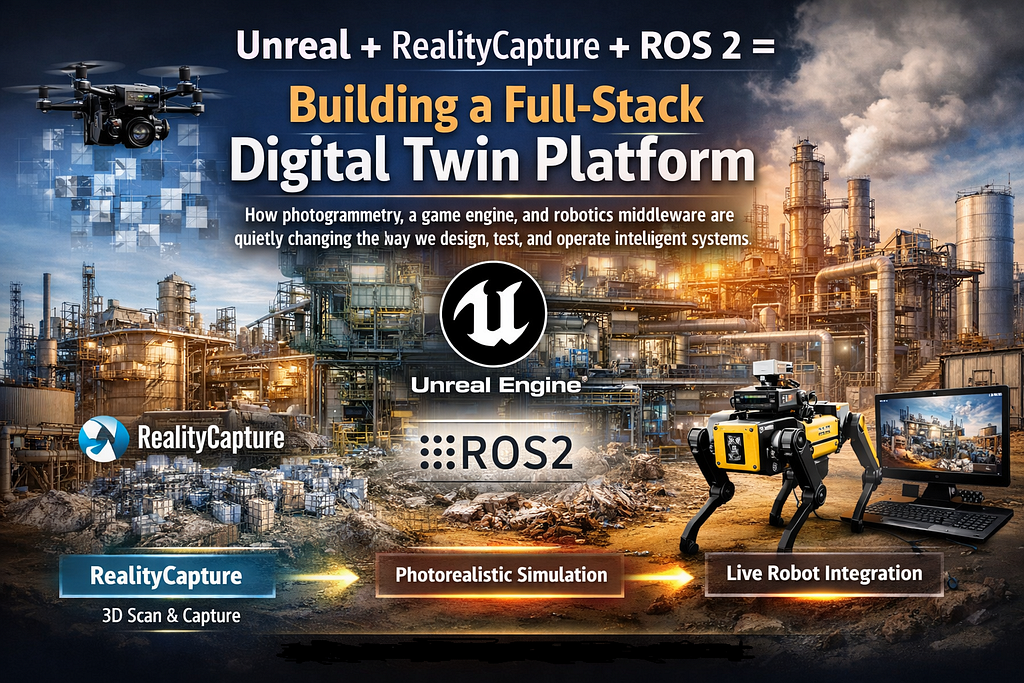
How photogrammetry, a game engine, and robotics middleware are quietly changing the way we design, test, and operate intelligent systems
There’s a gap in the robotics and automation space that most teams quietly struggle with. You build a system, you simulate it in a basic physics engine, then you deploy it into the real world and things break in ways the simulation never predicted. Not because the physics were wrong, but because the environment was.
Digital twins were supposed to fix this. And they can. But most implementations stay shallow: a 3D model sitting in a dashboard, updated by a few sensor feeds, watched by someone on a screen. That’s not a twin.
What I want to walk through in this article is how to combine three tools: Epic’s Unreal Engine, Capturing Reality’s RealityCapture, and ROS 2 into something that actually deserves the name digital twin. A platform that is photorealistic, physically grounded, and bidirectionally connected to live robot systems. We’ll also ground it in a concrete use case: autonomous inspection of industrial facilities.
A digital twin isn’t a 3D model with a live sensor feed. It’s a synchronized, bidirectional representation of a physical system — one that can predict, simulate, and inform decisions in real time.
Why This Stack?
Before getting into the architecture, it’s worth being clear about why each of these tools earns its place.
Unreal Engine is, at its core, a real-time 3D engine built for photorealistic rendering. Epic has invested heavily in simulation tooling through its AirSim and Cesium integrations, and its Blueprint/C++ scripting system is mature enough to support complex runtime logic. More importantly, Unreal supports NVIDIA PhysX and Chaos physics engines out of the box, critical for any simulation that needs to behave like the physical world, not just look like it.
RealityCapture is a photogrammetry tool that converts photographs or LiDAR scans into dense 3D meshes and point clouds. It’s faster than most competitors and produces meshes that are clean enough to import directly into Unreal without extensive cleanup. For capturing real environments at scale, it’s the most practical option available today.
ROS 2 (Robot Operating System 2) is the de facto middleware for robotics. It handles the hard parts of distributed systems: message passing, service calls, action clients, lifecycle management, and hardware abstraction. Its DDS backbone makes it suitable for real-time applications in a way that ROS 1 never fully was. And its tooling rviz2, ros2bag, tf2 are used across academia and industry alike.
Together, these three form a coherent pipeline: capture the real world (RealityCapture), recreate it with physical fidelity (Unreal), and keep it synchronized with live robot systems (ROS 2). The whole is considerably more than the sum of its parts.
The Architecture
Layer 1 — Environment Capture
The foundation of any good digital twin is an accurate representation of the physical environment. RealityCapture takes overlapping photographs (ideally captured by a drone or handheld rig at 70–80% overlap) and reconstructs a textured 3D mesh using photogrammetric algorithms; specifically, structure from motion (SfM) combined with multi-view stereo (MVS).
For an industrial facility, a typical capture workflow looks like this: an operator flies a drone in a systematic grid pattern at 10–15 meters altitude, capturing downward-facing images, then repeats at a 45-degree oblique angle to capture vertical surfaces. The resulting dataset, often 5,000 to 20,000 images, is fed into RealityCapture, which takes somewhere between 30 minutes and a few hours depending on hardware.
The output is a dense mesh with texture maps. At this point, you want to do some cleanup: simplify polygon count for real-time rendering targets, bake ambient occlusion, and export in FBX or OBJ format. RealityCapture’s LOD (level of detail) tools help automate this to a degree, but some manual mesh optimization in Blender is usually worthwhile for large environments.
Pro tip: Capture your environment with georeferenced GCPs (ground control points) if you want to anchor your digital twin in real-world coordinates. This is essential if you plan to use GNSS data from your robots to position them in the
Layer 2 — The Unreal Environment
Once your mesh is ready, import it into Unreal Engine. Create a new project using the Architecture, Engineering, and Construction (AEC) template, which gives you reasonable defaults for large-scale environments. Import your mesh as a Static Mesh asset, assign your texture maps, and you already have a reasonably photorealistic recreation of your facility.
From here, the work splits into two tracks: visual fidelity and physical accuracy.
For visual fidelity, Unreal’s Lumen global illumination system and Nanite virtualized geometry handle a lot automatically. Add an HDRI sky, tweak your directional light to match the time of day of your original capture, and the environment will start to feel like the real place. For an inspection use case, this matters more than it sounds, operators reviewing footage from robot cameras will have a much better sense of spatial context.
Physical accuracy requires more work. You’ll want to set up a NavMesh (Unreal’s navigation mesh) that accurately reflects traversable areas. Define collision meshes carefully particularly for surfaces that your inspection robots might encounter. And critically, configure your physics material properties to match real-world surfaces: concrete, steel grating, cable trays, and so on have very different friction and restitution characteristics.
For the communication layer, you’ll use the ROS 2 for Unreal plugin (ROS2UE5 available on GitHub) or ROSCON, which bridges Unreal’s Blueprint system with ROS 2 topics and services. This plugin exposes Unreal actors as ROS publishers and subscribers, effectively making your simulation a ROS 2 node.
// Example: Publishing robot pose from Unreal to ROS 2
// In your robot actor's Tick() function: geometry_msgs::msg::PoseStamped pose_msg;
pose_msg.header.stamp = this->get_clock()->now();
pose_msg.header.frame_id = "map";
pose_msg.pose.position.x = actor_location.X * 0.01;
// UU to meters pose_msg.pose.position.y = -actor_location.Y * 0.01;
pose_msg.pose.position.z = actor_location.Z * 0.01;
pose_publisher_->publish(pose_msg);
Layer 3 — ROS 2 Integration
The ROS 2 side of the architecture involves two distinct concerns: the simulation bridge and the real-robot bridge. In a mature digital twin, both run simultaneously and you’re constantly comparing them.
The simulation bridge connects Unreal to your ROS 2 computation graph. Your virtual robot publishes sensor data (camera images, LiDAR point clouds, IMU readings) that look indistinguishable from real hardware to the rest of your ROS 2 system. Your navigation and perception stacks — Nav2, a localization algorithm, your custom inspection logic — operate on this data without needing to know whether they’re talking to steel and cameras or polygons and render targets.
The real-robot bridge is your actual hardware stack. When you deploy, the robot publishes identical topic structures. The difference is that now, instead of throwing away your simulation, you keep both running in parallel. The twin continues to track predicted state; the real system publishes actual state. The delta between them is your anomaly signal.
# Example ROS 2 node: Twin synchronization monitor
import rclpy
from rclpy.node import Node
from geometry_msgs.msg import PoseStamped
import numpy as np


class TwinSyncMonitor(Node):
    def __init__(self):
        super().__init__('twin_sync_monitor')

        self.sim_pose = None
        self.real_pose = None

        self.create_subscription(
            PoseStamped,
            '/sim/robot/pose',
            self.sim_cb,
            10
        )

        self.create_subscription(
            PoseStamped,
            '/robot/pose',
            self.real_cb,
            10
        )

        self.create_timer(1.0, self.check_divergence)

    def sim_cb(self, msg):
        self.sim_pose = msg

    def real_cb(self, msg):
        self.real_pose = msg

    def check_divergence(self):
        if self.sim_pose is not None and self.real_pose is not None:
            delta = np.linalg.norm([
                self.sim_pose.pose.position.x - self.real_pose.pose.position.x,
                self.sim_pose.pose.position.y - self.real_pose.pose.position.y,
                # z component was missing in original → either add it or keep 2D
                # self.sim_pose.pose.position.z - self.real_pose.pose.position.z,
            ])

            if delta > 0.5:  # 50cm threshold
                self.get_logger().warn(
                    f'Twin divergence detected: {delta:.2f} m'
                )


def main(args=None):
    rclpy.init(args=args)
    node = TwinSyncMonitor()

    try:
        rclpy.spin(node)
    except KeyboardInterrupt:
        pass
    finally:
        node.destroy_node()
        rclpy.shutdown()


if __name__ == '__main__':
    main()
This divergence monitoring pattern is arguably the most powerful thing a digital twin enables. A robot navigating a mapped environment should follow a predictable path. When its real trajectory diverges from the twin’s expected trajectory, that’s information, a blocked corridor, an unexpected obstacle, a failing wheel encoder. The twin becomes a predictive baseline.
Use Case: Autonomous Inspection at a Petrochemical Facility
Let me make this concrete. Consider a mid-sized petrochemical processing plant, the kind of facility where inspectors currently walk routes with clipboards, check equipment tags, look for corrosion or leaks, and log everything manually. It’s time-consuming, inconsistently executed, and puts human beings in proximity to hazardous environments.
The facility is captured using RealityCapture. A drone survey takes two days and produces a 14,000-image dataset. The resulting mesh is accurate to within 3 centimeters at ground level, with textures that resolve individual bolt heads and pipe flange labels. This becomes the environment layer in Unreal.
A ground inspection robot, equipped with a thermal camera, a gas detector, and a 360-degree RGB-D camera is fitted with a ROS 2 stack running Nav2 for navigation and a custom inspection behavior tree. Before deployment, the robot’s navigation routes are planned, simulated, and validated entirely in Unreal. Operators can watch a preview of what the robot will see, adjust waypoints, and verify that the Nav2 planner correctly handles the facility’s complex geometry.
When the robot deploys, the digital twin stays live. Spot’s pose and sensor streams are mirrored into Unreal in real time. Operators in a control room see a photorealistic first-person view from inside the twin, they can switch between the robot’s actual camera feed and a rendered virtual view of the same position, toggling between real and simulated perspectives to better understand spatial context.
The twin’s anomaly detection layer monitors for deviations. If Spot slows down unexpectedly say, because a pipe has ruptured and the floor is wet, the twin’s predicted velocity no longer matches actual velocity. An alert fires. The twin also maintains a persistent map of inspection findings: thermal anomalies, gas concentration readings, visual inspection flags. These are attached to specific geometry in the 3D environment, so every data point has spatial context that survives across inspection cycles.
After six months, the operator doesn’t just have a collection of sensor readings. They have a spatially-indexed history of every anomaly detected at every point in the facility — a fundamentally different quality of operational intelligence than what traditional inspection workflows produce.
Honest Challenges and Where Things Break
This architecture is genuinely powerful, but it’s not a turnkey solution. A few things consistently trip people up:
• Mesh maintenance: Physical environments change. Equipment gets added, removed, or moved. Your photogrammetric model drifts from reality over time. You need a process for periodic recapture or incremental updates and currently, RealityCapture doesn’t make incremental updating easy.
• Latency: The ROS 2 bridge introduces latency. For a slow-moving inspection robot, sub-second latency is acceptable. For high-speed systems or manipulation tasks, you need to be much more careful about your synchronization strategy.
• Coordinate systems: Getting Unreal’s coordinate system (left-handed, Z-up, centimeter units) to play nicely with ROS 2’s convention (right-handed, Z-up, meter units) sounds trivial and absolutely is not. Document your transforms carefully from day one.
• Computational cost: Running a photorealistic Unreal simulation alongside a full ROS 2 navigation stack is expensive. Expect to need a workstation with a high-end GPU and a fast NVMe drive. Cloud offloading is possible but adds latency that may be unacceptable for closed-loop systems.
Where This Is Going
The combination of photogrammetry, game engines, and robotics middleware is maturing fast. Epic’s acquisition of Capturing Reality (the makers of RealityCapture) signals a deeper integration roadmap, it’s reasonable to expect native photogrammetry-to-Unreal pipelines in future releases. ROS 2 continues to gain adoption in commercial robotics, and tooling for Unreal-ROS bridges is improving with each iteration.
The deeper shift is conceptual. We’re moving from digital twins as visualization tools to digital twins as prediction and validation infrastructure. The twin isn’t something you look at. It’s something you test against, compare to, and learn from.
If you’re building autonomous systems that operate in the physical world, this stack is worth serious investment. The up-front cost, photogrammetric capture, Unreal setup, ROS 2 integration pays back quickly once your simulation and reality are genuinely synchronized. The question you’re eventually able to ask “why did the real robot diverge from what the twin predicted?” is one of the most valuable questions in autonomous systems engineering.
The gap between simulation and reality is where most autonomous systems fail. A properly built digital twin doesn’t eliminate that gap — but it makes it visible, measurable, and ultimately closeable.
Building a Full-Stack Digital Twin Platform was originally published in Level Up Coding on Medium, where people are continuing the conversation by highlighting and responding to this story.