If you want to Automate GitHub PRs, the real goal is not just adding another bot comment to a pull request. The goal is to give reviewers the context they usually have to gather manually: who owns the service, whether it is deployed, whether basic repository standards are in place, and whether the change looks safe to merge.
A useful AI pull request workflow can do exactly that. When a PR opens, it can sync metadata from GitHub, pull operational and ownership context from an internal developer platform, send that context to an LLM, and return a structured review summary plus a risk level. That reduces blind approvals and cuts down on repetitive reviewer questions.
This guide explains how to Automate GitHub PRs using GitHub Actions, Port, a lightweight webhook server, and an LLM such as GPT-4. It also covers what this kind of workflow should evaluate, why a middleware service is needed, and what mistakes to avoid.
https://medium.com/media/b9f51b1a3222dab8c856802c1247dcc0/hrefWhat it means to automate GitHub PRs
To Automate GitHub PRs, I am talking about a workflow where opening a pull request triggers an automated review pipeline. Instead of checking only the code diff, the system looks at the broader service context and then posts a structured result back to the PR.
That result can include:
- Service ownership
- Repository readiness signals, such as a README or CODEOWNERS presence
- Scorecard or compliance status
- Deployment status, such as staging and production workloads
- An AI-generated summary
- A risk level, such as low, medium, or high
- Suggested action items when something is missing
This is different from a traditional static code review bot. The value comes from combining code events with operational context from systems outside GitHub.
Why teams want to automate GitHub PRs
Most pull request delays are not caused by code syntax alone. They come from uncertainty.
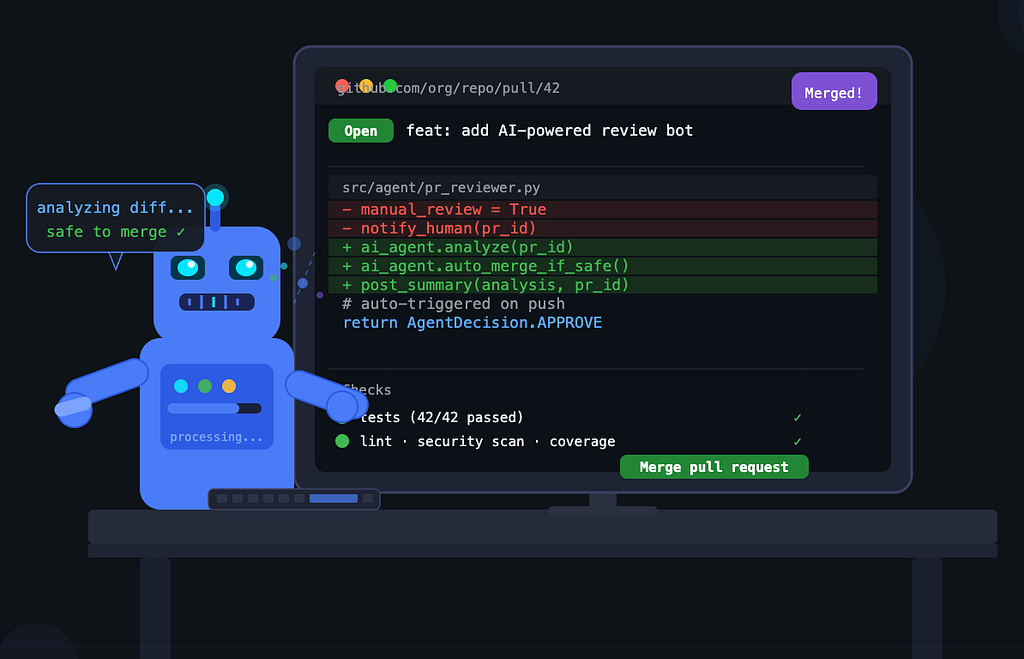
Reviewers often need answers to questions like:
- Who owns this service?
- Is this service already running anywhere?
- Is the repository production-ready?
- Does it follow the team’s baseline standards?
- Is there enough context to approve safely?
Without automation, someone has to hunt for that information across GitHub, deployment systems, internal docs, and team ownership records. That takes time and usually leads to either delayed merges or weak review quality.
When you Automate GitHub PRs with AI and catalog data, reviewers get a structured starting point within seconds.
What a good automated PR review should check
If you want to build a useful system and not just a noisy one, focus on checks that help humans make better decisions.
1. Ownership
The review should identify the responsible team or service owner. This helps route questions quickly and gives confidence that the change belongs to a known part of the platform.
2. Repository hygiene
Basic project files matter. A README and CODEOWNERS file are simple indicators that the repository follows expected practices. These signals are easy to include and often useful in readiness checks.
3. Scorecard or standards compliance
A scorecard can represent repository quality or policy compliance. In the demonstrated setup, the scorecard level acts as one of the inputs used to judge pull request readiness.
4. Deployment context
Whether a service is deployed to staging or production changes how risky a PR feels. A change to an actively deployed service deserves different attention than a repo that is not yet in use.
5. Risk assessment
The output should classify the PR in a simple, scannable way. A low, medium, or high risk label works well because it gives the reviewer an immediate signal.
6. Summary and action items
The review should not stop at a label. It should explain why the PR was marked a certain way and list any missing prerequisites.
Architecture to automate GitHub PRs
A practical architecture for this workflow has four parts:
- GitHub to detect PR activity
- Port to hold and expose context about services, scorecards, workloads, and PR entities
- A webhook server to coordinate API calls and write results back
- An LLM to produce the structured review verdict
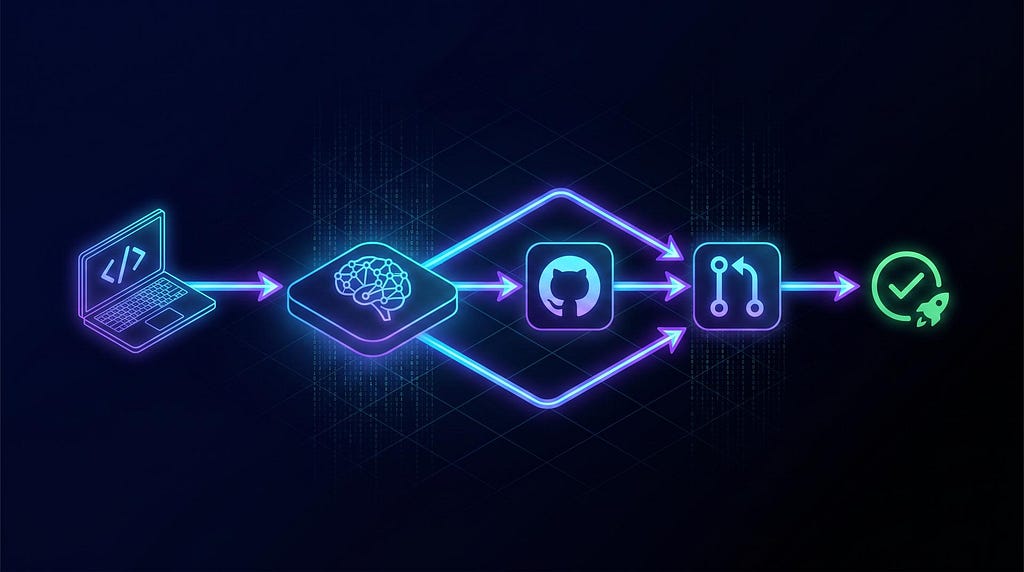
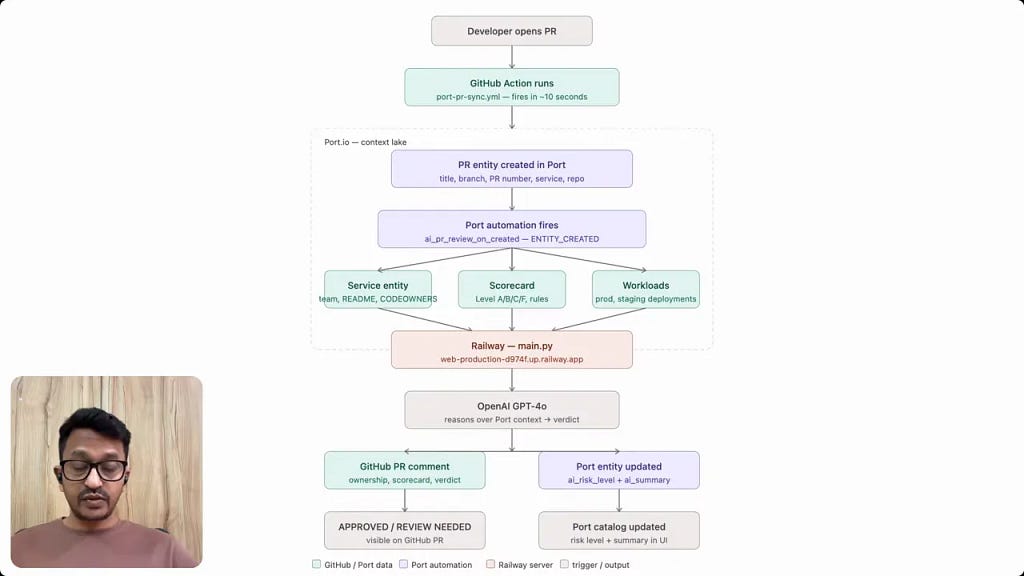
The flow works like this:
- A developer opens a pull request in GitHub.
- A GitHub Action runs and syncs PR data into Port.
- Port detects the new PR entity and triggers an automation.
- The automation calls a publicly reachable webhook endpoint.
- The webhook server fetches related context from Port.
- The server sends that context to the LLM.
- The LLM returns a structured verdict.
- The server posts a review comment to GitHub and writes the summary and risk level back into Port.
Why Port is useful in this workflow
Port acts as the context layer. It is where service metadata, ownership, scorecards, workloads, and pull request entities can live together in a catalog.
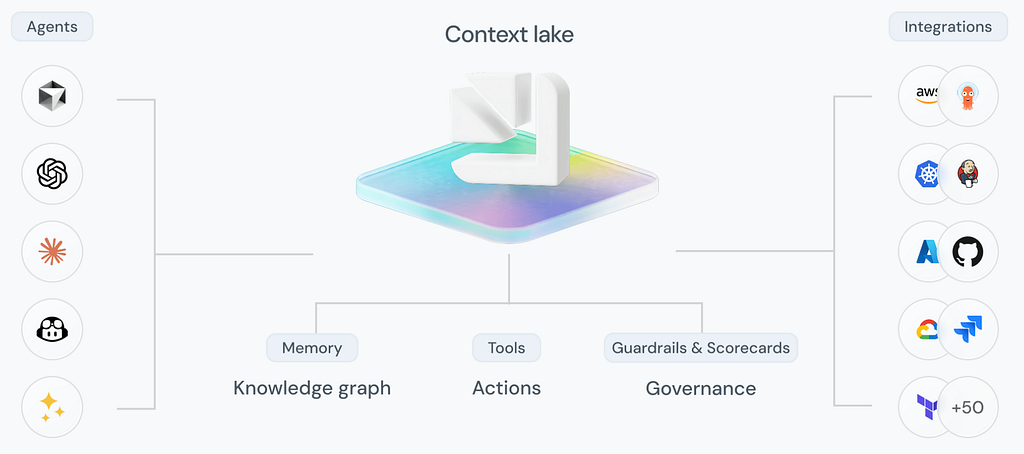
That matters because an LLM alone does not know:
- Which team owns a given service
- Whether the repo has certain governance files
- Whether the service is deployed in staging or production
- What the latest scorecard or policy status is
By connecting GitHub as a data source and modeling those related entities in a catalog, Port can provide the context the AI needs to produce a more useful PR review.
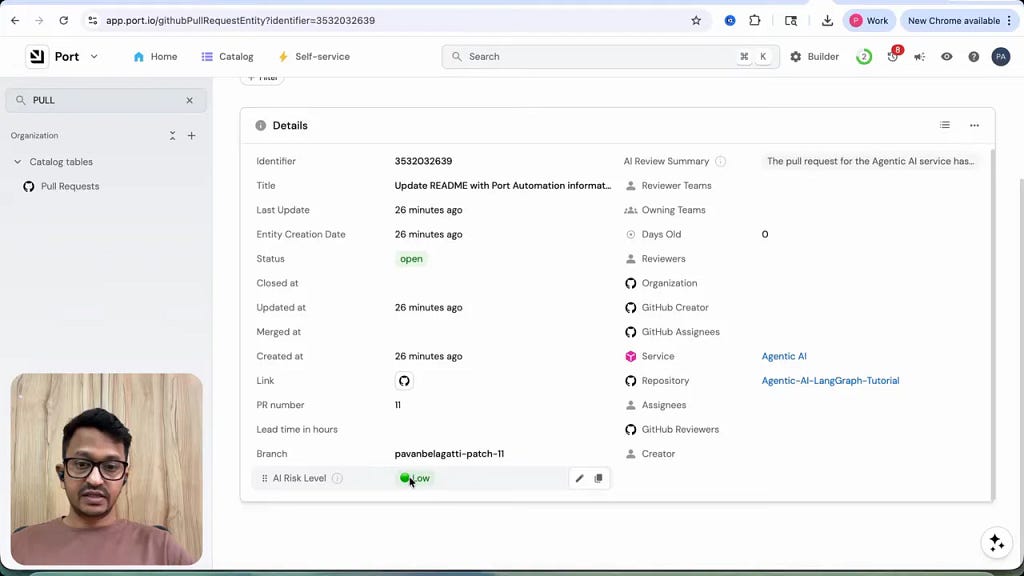
In this setup, the pull request becomes an entity that can be enriched with fields such as:
- AI review summary
- AI risk level
- Run history
- Audit data
How to automate GitHub PRs step by step
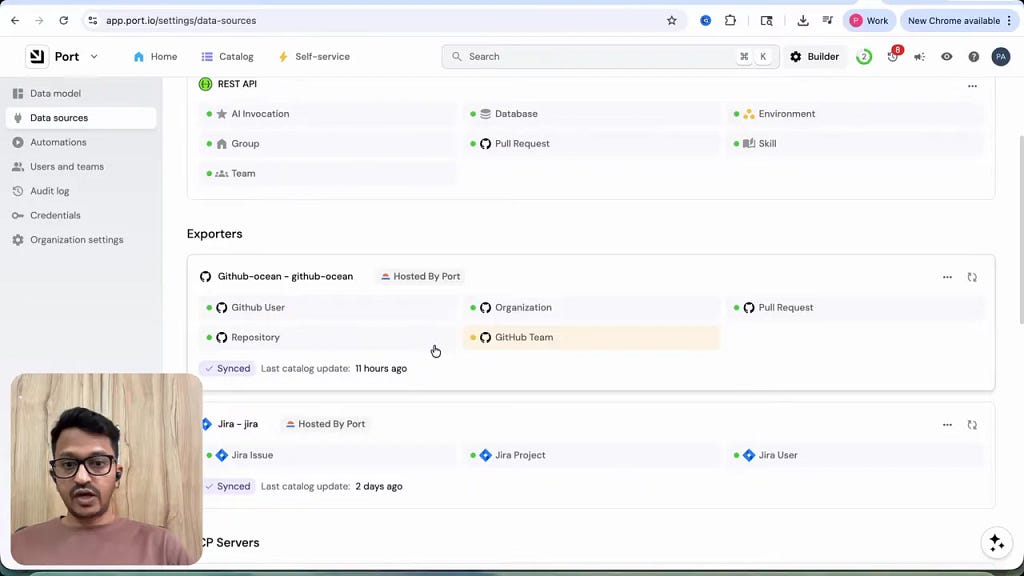
Step 1: Connect GitHub to your internal developer platform
Start by integrating GitHub so your platform can detect repositories and pull request activity. In the demonstrated pattern, GitHub is connected as a data source inside Port.
This connection allows pull request details to be synced and associated with the right service or repository metadata.
Step 2: Create a GitHub Action that syncs PR data
The automation begins in GitHub. You need a workflow file that runs on pull request activity and sends the relevant information into Port.
At minimum, the sync should include:
- PR number
- Title
- Branch
- Repository
- Associated service, if available
- Status
This is the event bridge that lets you Automate GitHub PRs with richer catalog-based context instead of relying on code diff events alone.
Step 3: Model the related entities in Port
The automated review is only as good as the context available. The useful entities in this design include:
- Service entity with team, ownership, and repository details
- Scorecard entity with pass or fail style readiness indicators
- Workload entity showing staging and production deployment information
- Pull request entity that gets enriched with AI results
If these relationships are incomplete, your AI verdict will be weaker.
Step 4: Add a Port automation to trigger the review
Once the PR entity appears in Port, an automation should fire automatically. This automation sends the event to your webhook server.
That trigger is the handoff from catalog event detection to the external processing logic.
Step 5: Run a webhook server as middleware
This part is essential. Port can trigger workflows and call webhooks, but the actual review process requires a custom layer that can:
- Authenticate with APIs
- Fetch multiple related entities
- Build a prompt with structured context
- Call the LLM
- Post a GitHub comment
- Write fields back into Port
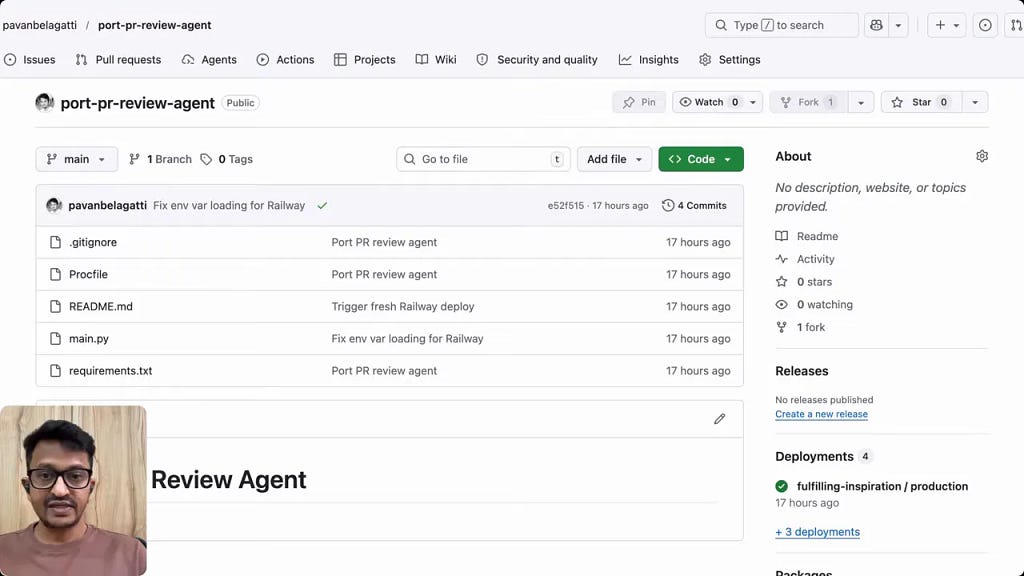
In the demonstrated implementation, this middleware is a lightweight Python application running continuously in the cloud.
That always-on endpoint matters because local development servers are not reliable for production automation.
Step 6: Deploy the middleware somewhere with a permanent public URL
A cloud deployment platform such as Railway works well for this. The important requirement is a stable HTTPS endpoint that Port can call every time a PR event occurs.
If the server is not always available, the automation chain breaks.
Step 7: Send context to the LLM and request a structured verdict
The webhook server should gather the relevant Port data and send it to the LLM in a structured way. The desired output should also be structured, ideally as JSON.
The resulting verdict can include:
- Overall approval recommendation
- Risk level
- Short review summary
- Missing requirements
- Action items
Structured outputs are much easier to write back into systems and display consistently.
Step 8: Write the result back to GitHub and Port
Finally, the middleware should:
- Post a human-readable comment to the PR in GitHub
- Update the PR entity in Port with the AI summary
- Set the AI risk level field in Port
- Record success in the automation run or audit log
This gives both developers and platform teams a clear trail of what happened.
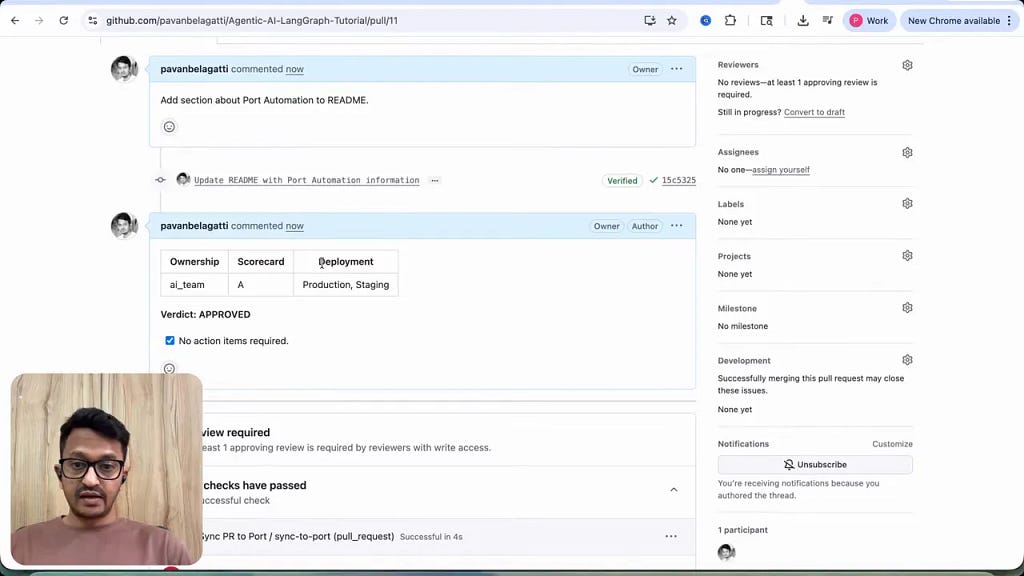
What the PR comment should look like
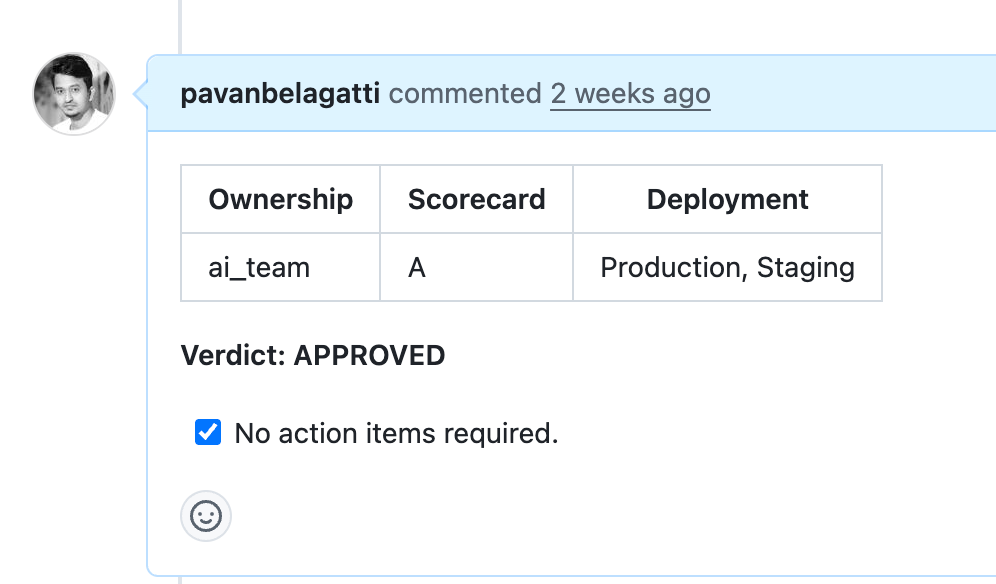
A good automated PR comment is short, structured, and focused on decision support.
It should answer these questions quickly:
- Who owns the service?
- What does the scorecard or readiness status say?
- Where is the service deployed?
- What is the AI verdict?
- Are any action items required?
A comment that simply says “looks good” is not enough. A useful automated review should give a reviewer enough context to decide what to inspect next.
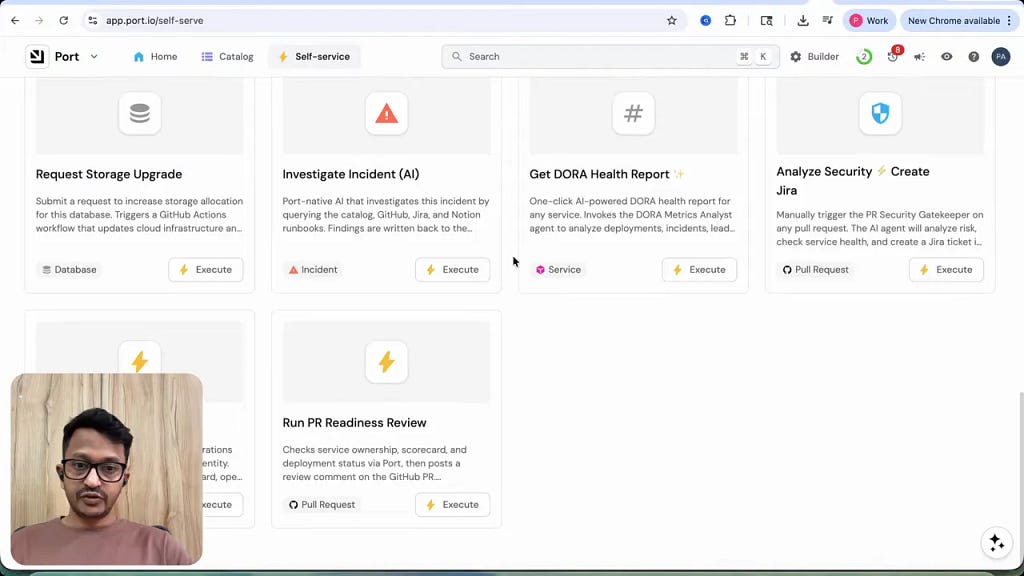
Using AI agents and self-service actions
One notable part of this setup is that platform actions and AI agents can be created inside Port itself. That makes it easier to operationalize workflows like:
- PR readiness review
- PR summary generation
- Risk analysis
- Other engineering actions such as ticket creation or health reporting
This matters if you want your pull request automation to be part of a larger internal developer platform rather than a standalone script.
Common mistakes when you automate GitHub PRs
Relying only on the code diff
If the AI sees only the changed files, it cannot reason about deployment status, ownership, or baseline readiness. The context layer is what makes the review valuable.
Posting unstructured comments
A long generic paragraph is hard to scan. Use a consistent template with ownership, readiness, deployment, verdict, and action items.
Skipping the middleware layer
Trying to connect everything directly often becomes limiting. A custom webhook server is useful because it can orchestrate multiple API calls and handle bidirectional updates.
Hosting the server locally
For continuous automation, the endpoint must be publicly reachable all the time. A local laptop is not a stable production service.
Overtrusting the AI output
Even if you Automate GitHub PRs, the output should support human review, not replace it entirely. The AI is helping summarize context and flag risk, not acting as the final approver in every case.
Using incomplete catalog data
If service ownership is wrong or workload data is outdated, the PR review will reflect those gaps. Data quality matters as much as prompt quality.
You can automate your developer workflows using Port.io.
What this setup is best for
This approach is especially useful for teams that already manage service metadata in a developer platform and want faster, more informed pull request reviews.
It is a strong fit when:
- You have many services and ownership is not always obvious
- Reviewers frequently ask for operational context before approving
- You want PRs enriched with platform metadata automatically
- You already use GitHub Actions and can add webhook-based automations
It is less useful if your environment has no structured service catalog yet. In that case, the first step is improving metadata, not adding AI.
Frequently asked questions
Can AI fully review a pull request?
Not reliably on its own. AI can summarize context, classify risk, and highlight gaps. Human review is still important for design judgment, correctness, and nuanced code changes.
Do I need an internal developer platform to automate GitHub PRs?
For this specific pattern, yes, because the value comes from catalog data such as service ownership, workloads, and scorecards. Without a source of trusted context, the automation is much weaker.
Why use a webhook server instead of calling the LLM directly?
The middleware handles authentication, data fetching, prompt construction, result formatting, posting to GitHub, and updating Port. It acts as the integration layer connecting all systems.
What should the AI risk level represent?
It should summarize readiness based on the criteria you choose, such as repository standards, ownership clarity, scorecard status, and deployment context. Keep the scale simple and consistent.
Can this run automatically for every PR?
Yes. That is the point of the workflow. Once the GitHub Action, Port automation, and middleware endpoint are configured, the process can run continuously without manual intervention.
A practical checklist to automate GitHub PRs
Use this checklist if you want to implement the same pattern:
- Connect GitHub as a data source
- Create PR sync automation with GitHub Actions
- Model service, scorecard, workload, and PR entities
- Create a Port automation triggered by PR creation
- Deploy a public webhook server
- Fetch Port context inside the server
- Send structured context to an LLM
- Post the verdict to GitHub
- Write summary and risk fields back to Port
- Review data quality regularly
Final takeaway
If you want to Automate GitHub PRs in a way that actually helps reviewers, focus on context first and AI second. The most useful automation does not just analyze changed code. It brings together service ownership, readiness signals, deployment status, and a structured verdict in one place.
A setup built with GitHub Actions, Port, a cloud-hosted middleware service, and an LLM can turn pull request reviews from a context-hunting exercise into a faster, better-informed workflow.
Done well, this approach gives every PR a head start before a human reviewer even begins.
You can automate any of your developer workflows using Port.io.
Automate GitHub PRs with Agentic AI! was originally published in Level Up Coding on Medium, where people are continuing the conversation by highlighting and responding to this story.