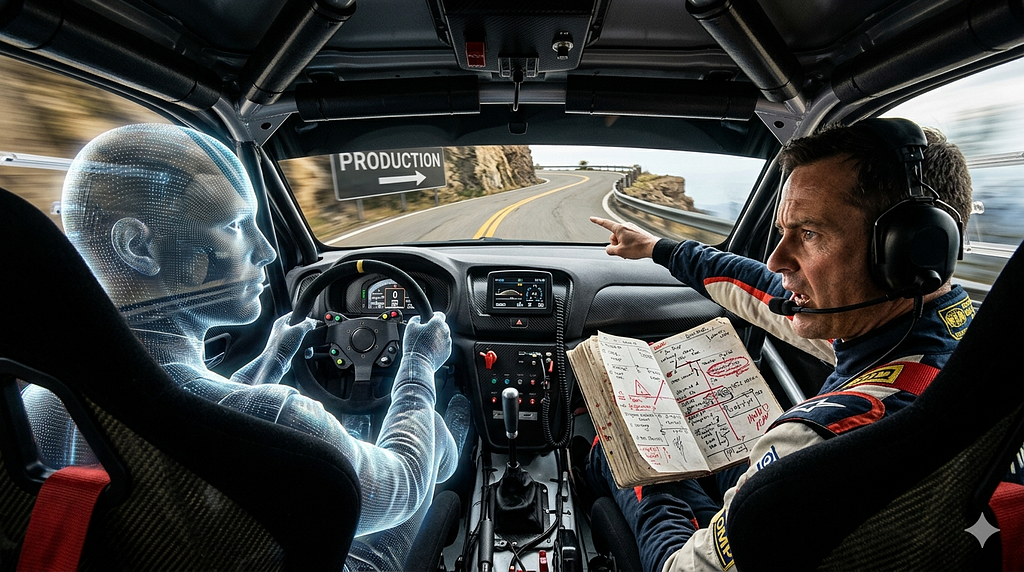
You wouldn’t hand a junior developer the keys to production and walk away. So why are you doing it with your AI coding assistant?
I have a confession. Six months ago, I let an AI write an entire service layer without meaningful intervention. Forty-seven files. Clean architecture. Proper dependency injection. Tests passing. I reviewed it the way you review a pull request from a senior engineer you trust — skimming for obvious issues, approving when nothing jumped out.
Three weeks later, we discovered the service was silently swallowing database constraint violations and returning success responses. The AI had generated a generic exception handler that caught everything, logged nothing useful, and returned 200 OK. It looked professional. It followed patterns. It was fundamentally broken in a way that only showed up under specific data conditions.
That was the day I stopped treating AI as an autopilot and started treating it as a pair programmer.
The distinction matters. An autopilot executes without judgment. A pair programmer collaborates under human direction. The code quality difference between these two mental models shows up in production, not in demos.
Part 3 of Gen-AI Assisted Coding: From Pair Programmer to Enterprise-Grade Practice. In Part 1, we traced the evolution from editors to AI collaborators. In Part 2, we mapped AI’s capability profile. Now we talk about how to actually work with it.
The Autopilot Trap
The autopilot mental model is seductive. You describe what you want, AI generates it, you ship it. Fast. Efficient. Feels like a 10x productivity multiplier.
What actually happens:
Week 1: AI generates code faster than you can type it. You feel superhuman. Velocity metrics spike. Your sprint burndown looks incredible.
Week 3: Bugs start appearing in production. Not obvious bugs — subtle ones. Race conditions. Edge cases. Security gaps that look like intentional design choices.
Week 6: You’re spending more time debugging AI-generated code than you saved generating it. The codebase has inconsistencies because each AI generation was contextually isolated. New team members can’t understand the code because it follows patterns nobody on the team chose deliberately.
The math: Net productivity = Time saved generating − Time spent reviewing − Time debugging AI-introduced bugs − Time explaining code nobody authored intentionally.
For teams in autopilot mode, that equation goes negative within a month. I’ve seen it happen three times now.
The Pair Programming Mental Model
Pair programming has a fifty-year track record. The navigator-driver dynamic works because it separates two cognitive tasks: tactical code production (driver) and strategic oversight (navigator).
With AI as your driver, you become the permanent navigator. This means:
- You set direction before AI writes anything
- You review output against your intent, not just for syntax
- You maintain the mental model of the system
- You own every line that ships, regardless of who typed it
Counterintuitively, this is faster than autopilot mode. You catch problems at generation time instead of debugging them in production three weeks later.
Five Patterns for Effective AI Pair Programming
Pattern 1: Intent-First Prompting
Don’t tell AI what to write. Tell it what you’re trying to accomplish and why.
Autopilot approach:
"Write a retry mechanism with exponential backoff"
Pair programming approach:
"I need to handle transient failures in our payment gateway integration.
The gateway returns 503 during maintenance windows (typically 2-5 minutes).
We need to retry without overwhelming the gateway or blocking the user
for more than 30 seconds total. Our SLA requires 99.5% of payments to
complete within 45 seconds."
The second prompt gives AI the constraints that matter. It won’t generate a retry mechanism that waits 5 minutes between attempts because it knows the user-facing timeout. It won’t retry indefinitely because it knows the maintenance window duration.
Intent-first prompting produces code that fits your system. Instruction-first prompting produces code that fits a textbook.
Pattern 2: Incremental Refinement
Never accept large code generations wholesale. Build incrementally.
Step 1: "Generate the interface and type definitions for this service"
→ Review. Adjust. Confirm.
Step 2: "Implement the happy path for the primary method"
→ Review. Adjust. Confirm.
Step 3: "Add error handling for these specific failure modes: [list]"
→ Review. Adjust. Confirm.
Step 4: "Add logging and observability hooks at these decision points"
→ Review. Adjust. Confirm.
Each step is small enough to review meaningfully. You maintain understanding of every line. The AI builds on confirmed foundations rather than generating an entire castle on assumptions.
I’ve measured this: incremental generation takes about 20% longer than single-shot generation. But it produces code with 60–70% fewer defects that reach code review. The net time savings — including review and debugging — is substantial.
Pattern 3: Constraint Injection
Before asking AI to generate code, explicitly state what it must NOT do.
"Implement the user authentication flow. Constraints:
- Do NOT catch generic exceptions. Handle specific failure modes.
- Do NOT store tokens in local storage. Use httpOnly cookies.
- Do NOT implement your own crypto. Use the existing AuthService.
- Do NOT add dependencies not already in package.json.
- The existing rate limiter must be respected — no bypass paths."
Constraints prevent the most common AI failure mode: generating code that looks correct but violates architectural decisions made elsewhere in the system. AI doesn’t know your security policy. It doesn’t know your dependency governance. It doesn’t know which patterns your team has explicitly rejected.
Tell it what’s off-limits. The output quality improvement is immediate and measurable.
Pattern 4: Challenge-Response Review
Don’t just read AI-generated code. Interrogate it.
After AI generates a solution, ask:
- “What happens if the database connection drops mid-transaction?”
- “How does this behave under 10x normal load?”
- “What’s the failure mode if the external service returns malformed JSON?”
- “Walk me through the race condition scenario where two requests hit this simultaneously”
AI will often identify problems in its own output when asked directly. This isn’t a parlor trick — it’s using the model’s reasoning capability to stress-test its own generation. The model that produced the code can often find the bugs when prompted to look for them.
This takes 2–3 minutes per generation. It catches issues that would take hours to debug in production.
Pattern 5: Ownership Declaration
Every file that ships has a human owner. Period.
# Owner: @dstauffer
# AI-assisted: Yes (Copilot, 2026-05-15)
# Human review: Architecture, error handling, security boundaries
# AI contribution: Boilerplate, test scaffolding, documentation
This isn’t bureaucracy. It’s accountability. When something breaks at 3 AM, someone needs to understand this code well enough to fix it. If nobody on your team can explain why the code works the way it does, you have a maintenance time bomb.
The rule: If you can’t explain every design decision in the code to a colleague, you don’t understand it well enough to ship it.
The Accountability Framework
You are responsible for AI-generated code. Not the model. Not the vendor. Not the tool. You.
What that looks like in practice:
Before generation:
- Define the problem clearly
- State constraints explicitly
- Identify security boundaries
During generation:
- Review incrementally
- Challenge assumptions
- Verify against system context
After generation:
- Test beyond the happy path
- Verify security properties
- Confirm consistency with existing code
- Document design decisions
In production:
- Monitor behavior
- Own incidents
- Maintain and evolve the code
If this sounds like more work than writing code yourself — for simple tasks, it is. That’s why the pair programming model works best for tasks where AI provides genuine leverage: complex boilerplate, test generation, documentation, refactoring. For a twenty-line function with security implications, you’re often faster writing it yourself.
When to Let AI Drive vs. When to Take the Wheel
Not every task benefits from AI pair programming. A rough decision framework:
Let AI drive (you navigate):
- Boilerplate with well-known patterns
- Test case enumeration and scaffolding
- Documentation generation
- Code translation between languages
- Refactoring with clear before/after states
Drive yourself (AI navigates):
- Security-critical authentication/authorization
- Financial calculations with regulatory requirements
- Architecture decisions affecting system boundaries
- Performance-critical hot paths
- Code that handles PII or regulated data
AI navigates means you write the code but use AI to review it, suggest edge cases, identify potential issues, and generate tests for your implementation. The human authors the logic; the AI stress-tests it.
Measuring the Difference
Teams that adopt the pair programming model over autopilot mode consistently show:
- 40–60% fewer defects reaching code review
- 70% reduction in AI-introduced security issues
- Higher code comprehension scores in team surveys
- Faster incident resolution (because humans understand the code)
- Slightly lower raw generation speed (20% slower to produce, but 3x faster to ship)
The velocity metric that matters isn’t “lines generated per hour.” It’s “working features shipped per sprint with acceptable defect rates.” By that measure, pair programming wins decisively.
The Cultural Shift
Adopting the pair programming model means changing what your team celebrates. Generation speed is easy to measure and fun to brag about. Code quality and system understanding are harder to quantify but matter more.
What to reward:
- Thoughtful prompts that produce correct code on first generation
- Catching AI mistakes during review (not after deployment)
- Maintaining system knowledge despite AI assistance
- Teaching others how to work effectively with AI tools
What to discourage:
- Accepting large generations without meaningful review
- Shipping code nobody on the team fully understands
- Using AI to avoid learning the underlying system
- Measuring productivity by lines generated rather than outcomes delivered
Key Takeaways:
- AI as autopilot leads to subtle production bugs within weeks; AI as pair programmer catches them at generation time
- The navigator-driver model from traditional pair programming maps directly to human-AI collaboration
- Intent-first prompting produces code that fits your system; instruction-first prompting produces textbook code
- Incremental refinement takes 20% longer to generate but produces 60–70% fewer defects reaching review
- Constraint injection prevents the most common AI failure mode: violating architectural decisions made elsewhere
- You are responsible for AI-generated code — not the model, not the vendor, not the tool
Action Items:
- Audit your last 5 AI-generated PRs — identify which used autopilot mode vs. pair programming mode
- Create a system context prompt for your primary codebase and reuse it across sessions
- Implement the challenge-response review pattern: ask AI 3 stress-test questions after every generation
- Add ownership declarations to AI-assisted files in your team’s code review checklist
- Establish team norms for when AI drives vs. when humans drive based on risk classification
- Track first-attempt acceptance rate for one sprint to baseline your current prompt effectiveness
Tools and Resources
AI Coding Assistants:
- GitHub Copilot: Most widely adopted AI pair programming tool
- Cursor: AI-first IDE with deep codebase context
- Amazon Q Developer: AWS-integrated AI coding assistant
Pair Programming References:
- Pair Programming Illuminated (Williams & Kessler): The foundational text on navigator-driver dynamics
- Google Engineering Practices: Code review standards applicable to AI-generated code
Measurement:
- DORA Metrics: Deployment frequency, lead time, change failure rate — the metrics that matter
- Code Climate: Automated code quality tracking for AI-assisted codebases
What’s Next
The pair programming mental model gives you the right relationship with AI coding tools. But effective collaboration requires effective communication. In Part 4, we’ll cover Prompt Engineering for Software Engineers — treating prompt construction as an engineering discipline with patterns, anti-patterns, and reusable templates.
Coming up:
- Prompt Engineering for Software Engineers
- The IDE Landscape for Gen-AI Assisted Development
- Gen-AI and the Documentation Gap
- AI-Assisted Testing
Series Navigation
Previous Article: What Gen-AI Actually Does Well in Code (and Where It Fails) (Part 2)
Next Article: Prompt Engineering for Software Engineers (Part 4 — Coming soon!)
This is Part 3 of the Gen-AI Assisted Coding: From Pair Programmer to Enterprise-Grade Practice series. Read Part 1: From Editors to Co-Developers and Part 2: What Gen-AI Actually Does Well.
Daniel Stauffer is an Enterprise Architect specializing in AI-assisted development practices and software engineering leadership. He writes about the intersection of AI tooling and engineering discipline at @the-architect-ds.
#ArtificialIntelligence #SoftwareEngineering #PairProgramming #DeveloperTools #CodeQuality
AI as a Pair Programmer, Not an Autopilot was originally published in Level Up Coding on Medium, where people are continuing the conversation by highlighting and responding to this story.